Chinese version available — interface and downloads in Simplified Chinese.中文版 →✕
⌁ HarmonicDAW ⌁
A creative multitrack DAW for Windows 64-bit
面向 Windows 64 位的创意多轨数字音频工作站
HarmonicDAW is a multitrack audio + MIDI workstation that puts musical
intuition into the architecture itself. The same surface any experienced DAW user
expects — tracks, regions, automation, plugin chains, master bus — but with a top rail of
creative effects (Glitch, Shiftermate, the harmonic Pitch slider) always within reach, a
set of built-in instruments and processors that cover most starting needs without external
plugins, and a per-channel "effect group" that lets every track sport its own pitched chunk
repeater, glitch chopper, fractal pitch sequencer and EQ before or after its plugin chain.
All 64-bit internal precision, all undoable, all stored in a single human-readable
.psy project file.
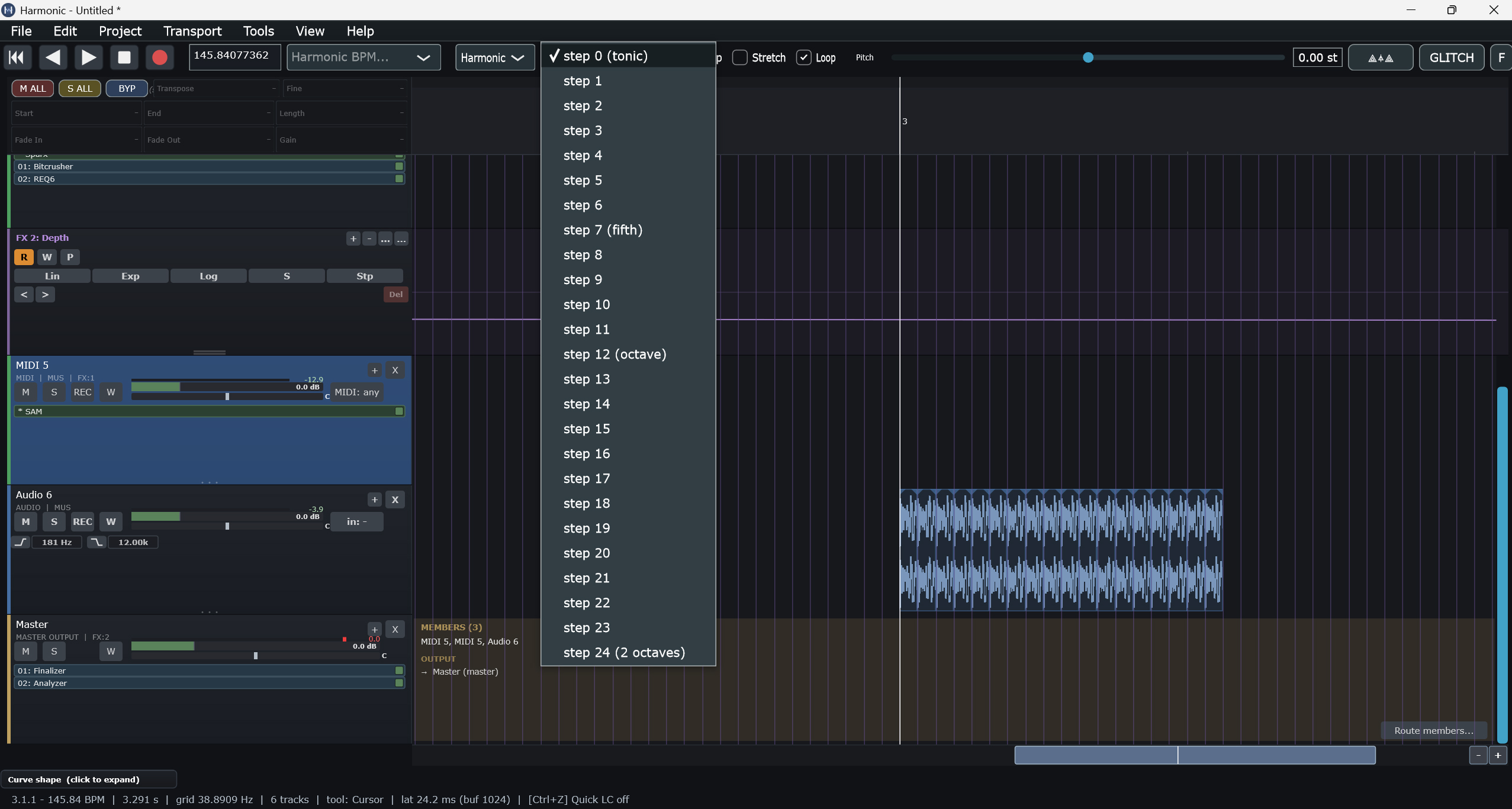
Drop an audio region onto a track, switch to Harmonic mode, pick a
chromatic degree from the menu — degree 0 (tonic) through
degree 11, with degree 5 (subdominant) and
degree 7 (dominant) labelled as familiar landmarks.
Keyboard shortcut Shift+0–9 (and Shift+_ / Shift++) snap a
selected region straight to that degree. The audio instantly plays tuned to
that interval, in time with everything else.
Stack as many duplicates as you want; each sits at its own chromatic degree,
all locked to the project tonic. Vocal harmonies, pitched percussion, drone
ladders, evolving overtone series — all from a single source clip, no recutting,
no external pitch-shifter plugin, no time drift.
Region Macros harmonic transpose, random chop & replace
区域宏操作 谐波移调、随机切片与随机替换
Right-click any audio region for a context menu packed with harmonic and creative
operations beyond the usual cut / copy / paste:
右键任意音频区域,打开包含一系列谐波与创意操作的上下文菜单,远不止常规的剪切 / 复制 / 粘贴:
HARMONIC TRANSPOSE
Snap a region instantly to a scale degree (Tonic / Subdominant / Dominant and every
step in between, Shift+0–9) or call Randomize Transpose
for probabilistic pitch: Regular (±5 st, humanise), Medium (±12, octave
range), Extreme (±24, chaos — default on Shift+P),
Crescendo / Decrescendo (ramped across the selection), or a
custom semitone range. Re-run to reshuffle. Every pass is fully undoable.
Slices the region into 1/16-note chunks and randomly removes or shortens some of them,
leaving rhythmic gaps — an instant stutter re-edit. Three intensities:
Regular (~50 % cut, default on Shift+C), Medium (~65 %), and
Extreme (~78 %). Click-free fades on every cut edge.
Re-run for a fresh variation.
Shuffles audio content between selected regions while keeping every region's timeline
position — so the groove stays identical but each slot plays a different slice.
Requires at least three selected regions. Three intensities:
Regular (~50 % swapped, default on Shift+R), Medium (~65 %),
Extreme (~85 %). Re-run for endless variations.
The same context menu also provides Cut at Transients (note-onset detection),
Gain Bend, Macro Cascade, lock/mute/colour per region, and
fast tool switching (Cursor / Scissors / Glue / Mute) — all one right-click away.
同一上下文菜单还提供 Cut at Transients(音符起音点检测)、
Gain Bend、Macro Cascade、每区域独立锁定 / 静音 / 颜色,
以及快速工具切换(光标 / 剪刀 / 粘合 / 静音)——全部只需右键一次。
AI Generation instruments, vocals & continuation — 100% local
AI 生成 乐器、人声与续写 —— 100% 本地化运行
A full local AI generation stack runs entirely on your own machine — nothing is sent to a server,
no subscriptions, no per-generation fees. Once a model is downloaded it works offline.
完整的本地 AI 生成栈,完全运行在你自己的电脑上——不向任何服务器发送数据,无订阅,无按次生成费用。
大模型下载一次后即可离线使用。
GENERATE AUDIO — three enginesGENERATE AUDIO 生成音频 — three engines 三种引擎
Right-click a track → Generate audio - AI: prompt, length, seed, and a model
dropdown. Stable Audio Open (fast) runs on any PC; Stable Audio 1.0 (hi-fi) is
a real quality step up; Stable Audio 3 (GPU) is the best of the three. Type something
like "driving psytrance bassline 145 bpm", pick a model, hit Generate — the audio lands on your
track, ready to chop, pitch and arrange.
GENERATE VOCALS — lyrics to singingGENERATE VOCALS 生成人声 — lyrics to singing 由歌词生成歌唱
Generate vocals - AI sings your lyrics with the local ACE-Step engine
and a feminine↔masculine voice balance. Demucs automatically isolates a clean,
dry a cappella; an optional Keep backing toggle drops the AI's instrumental onto a
synced muted track. Silence-trimmed, pre-warmed (no cold-start), and auto-inserted.
Generate vocals - AI 用本地 ACE-Step 引擎演唱你的歌词,并提供
女声↔男声的平衡控制。Demucs 会自动分离出干净、干声的阿卡贝拉;
可选的 Keep backing 开关会把 AI 的伴奏放到一条对齐的静音轨上。
自动裁剪静音、pre-warmed(无冷启动延迟),并自动插入。
EXTEND WITH AI — true continuationEXTEND WITH AI 使用 AI 扩展 — true continuation 真正的续写功能
Right-click a region → Extend with AI. ACE-Step's native extend reads
the actual tail of your audio — its rhythm, harmony and timbre — and continues it, rather than
guessing from a text prompt. Grow a 4-bar loop into 8, in key and in the groove. Apache-2.0,
fine for commercial use.
Generated audio can be sliced at its transients and snapped to your project grid at the current
BPM — turning a loose AI loop into something locked to tempo, fully non-destructive.
Grid-snapped Cross-faded equal-power-blends the overlaps for seamless joins. Works with
all three audio engines, and the grid now includes triplet divisions (1/4T–1/64T).
生成的音频可以在其瞬态处被切片,并按当前 BPM 对齐到工程网格——把松散的 AI 循环变成牢牢咬合速度的素材,
且完全非破坏性。Grid-snapped Cross-faded 会对重叠部分做等功率的交叉淡化,实现无缝衔接。
支持全部三个音频引擎,网格现在还包含三连音分割(1/4T–1/64T)。
The install is lightweight: three independent installers — Install_Audio.bat,
Install_SA3.bat, Install_Vocals.bat — each set up an isolated
environment via uv (no Python setup, no accounts). Engines run as localhost-only servers
(ports 8765 / 8766 / 8767) that never leave your computer.
AI is generative — not every take is perfect; reroll the seed, refine the prompt, keep the best.
Automation, Tempo & Reverse five curves, signed time
自动化、速度与反向播放 五种曲线,带符号时间
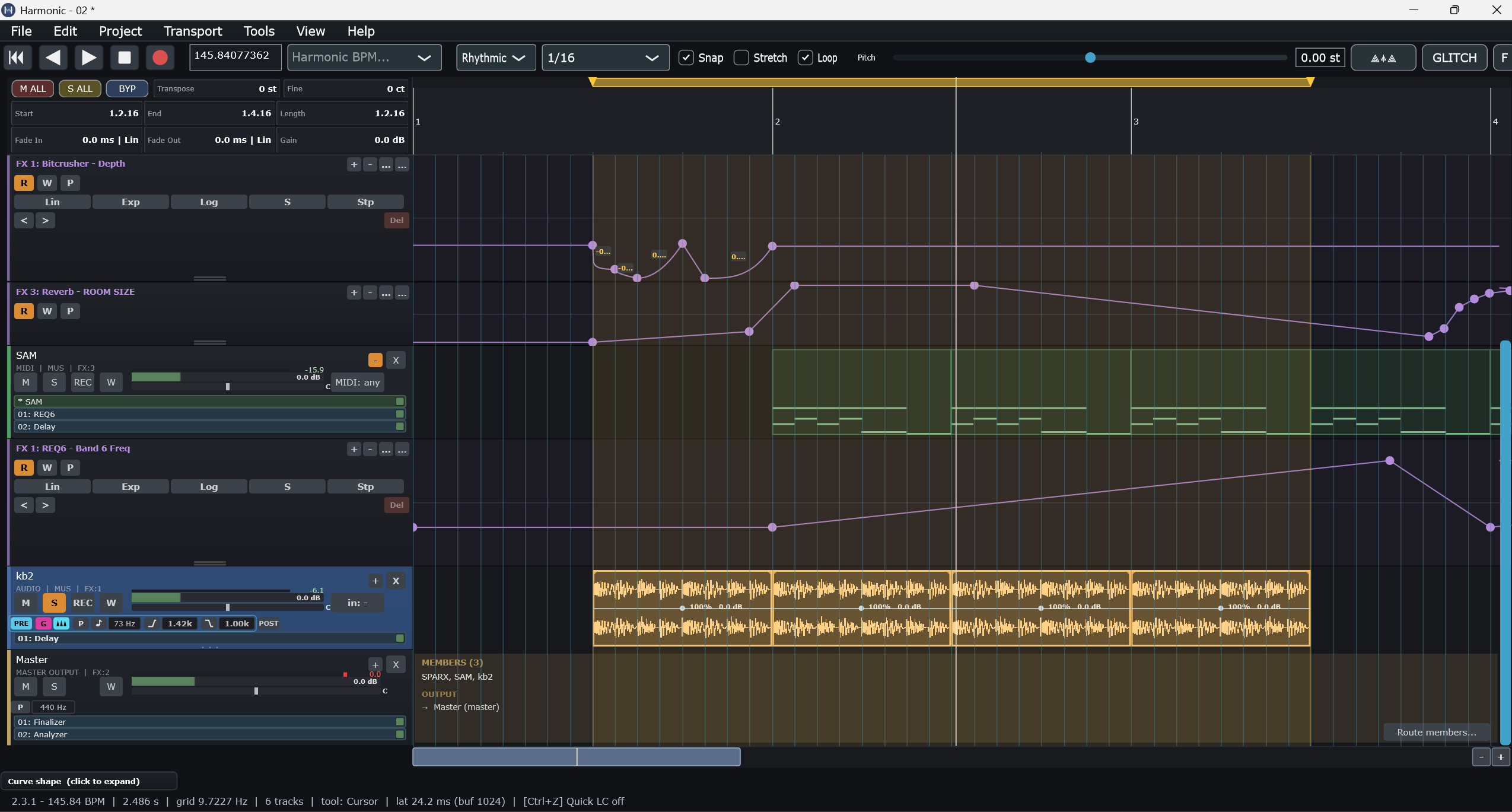
Every track parameter — volume, pan, the per-channel Pitch effect, every plugin knob —
carries an automation lane. Curves between points come in five shapes: Linear,
Exponential, Logarithmic, S-curve, and Stepped for
bar-locked toggles. Read / Write / Pull modes per lane; a track-wide write-arm lets a
whole knob sweep get captured at once.
The project's Tempo Track is automation too — the BPM is a
first-class lane that you can ramp, step, or hold. Combined with the Reverse
Playback transport mode, you can play a project backward at variable tempo and
watch every regions's waveform render in reverse with FX bypassed for clean playback.
项目的 Tempo Track(速度轨) 本身也是自动化轨道——BPM 作为一类核心自动化曲线,可进行连续渐变(ramp)、阶梯跳变(step)或保持(hold)。结合 Reverse Playback(反向播放) 传输模式,您可以让整个工程以可变速度反向播放,同时观察所有区域的波形实时反向渲染,并自动旁通 FX 处理以确保纯净回放。
The Snap / Grid system has a Rhythmic mode (1/64 → 1/1, triplets and dotted
included) and a Harmonic mode (frequency-based for the new HarmonicBufferPitch). Loop
markers, region snap, and the playhead all respect whichever mode is active.
Multi-Loop four independent loop markers, Shift+L/U/V/W
多循环 四个独立循环标记,Shift+L/U/V/W
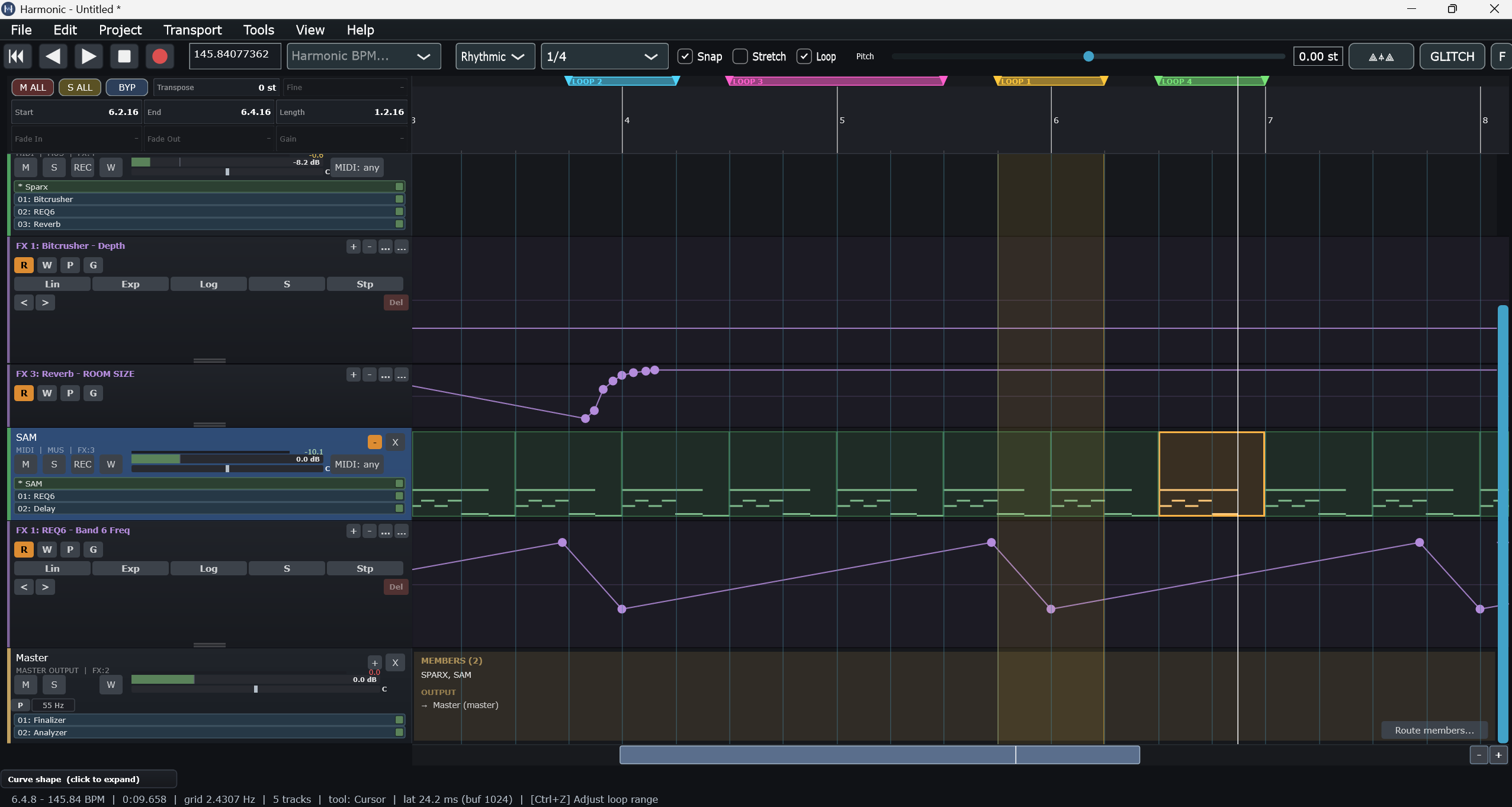
Set up to four independent loop markers — LOOP 1 (Shift+L),
LOOP 2 (Shift+U), LOOP 3 (Shift+V),
LOOP 4 (Shift+W) — each shown on the timeline in its own colour
(amber / cyan / magenta / green) with a small label. When the Loop switch is on
and more than one loop is set, the transport cycles through them in order —
1 → 2 → 3 → 4 → 1 → … — and keeps repeating until you stop.
Built-in Instruments no third-party plugins required
内置乐器 无需第三方插件
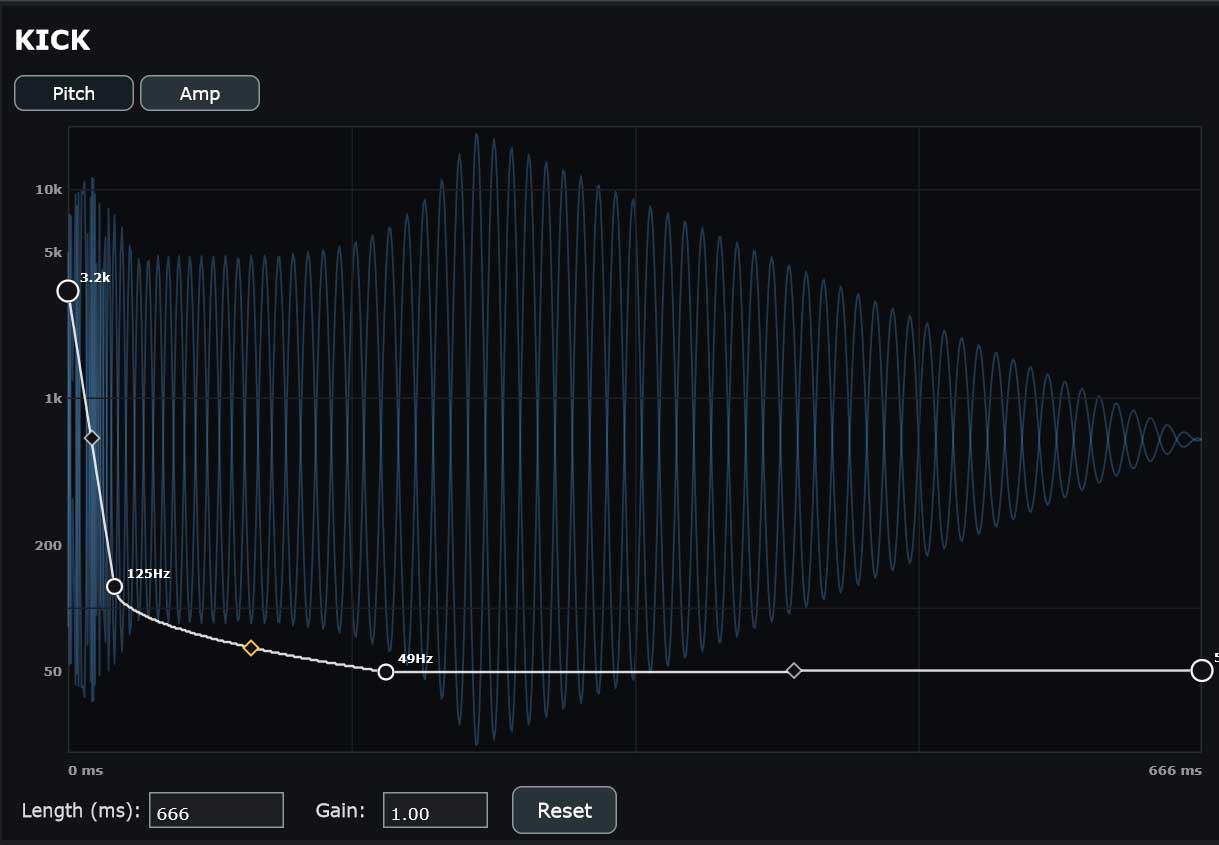
Kick
Drum synthesizer with editable pitch envelope
底鼓合成器,可编辑音高包络
A pitch-and-amplitude shaper for kick drums. Drag points on the pitch curve from
sub-50 Hz tails up through 3+ kHz click transients; mirror the same control on the
amp envelope. Length, gain, multi-segment shapes — every classic 808 to industrial
thump in one editor.
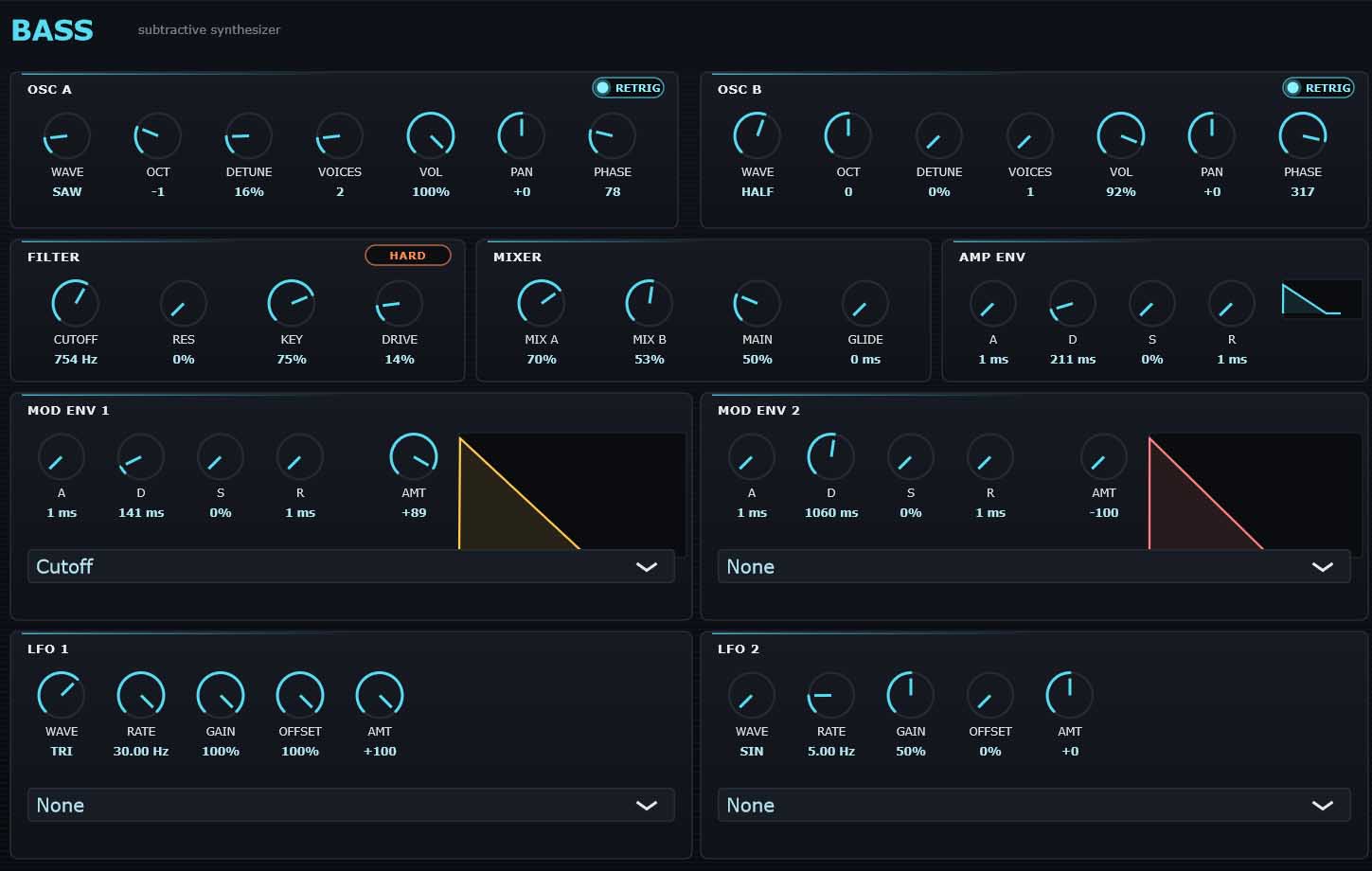
Two oscillators (saw / square / triangle / pulse with detune, voices, octave, phase),
a hard or soft low-pass filter, an amp envelope, two assignable mod envelopes, two
LFOs. Routes mod signals to cutoff, pitch, pan, volume, or any of the synth's own
parameters. Single-instrument basslines, leads, arps.
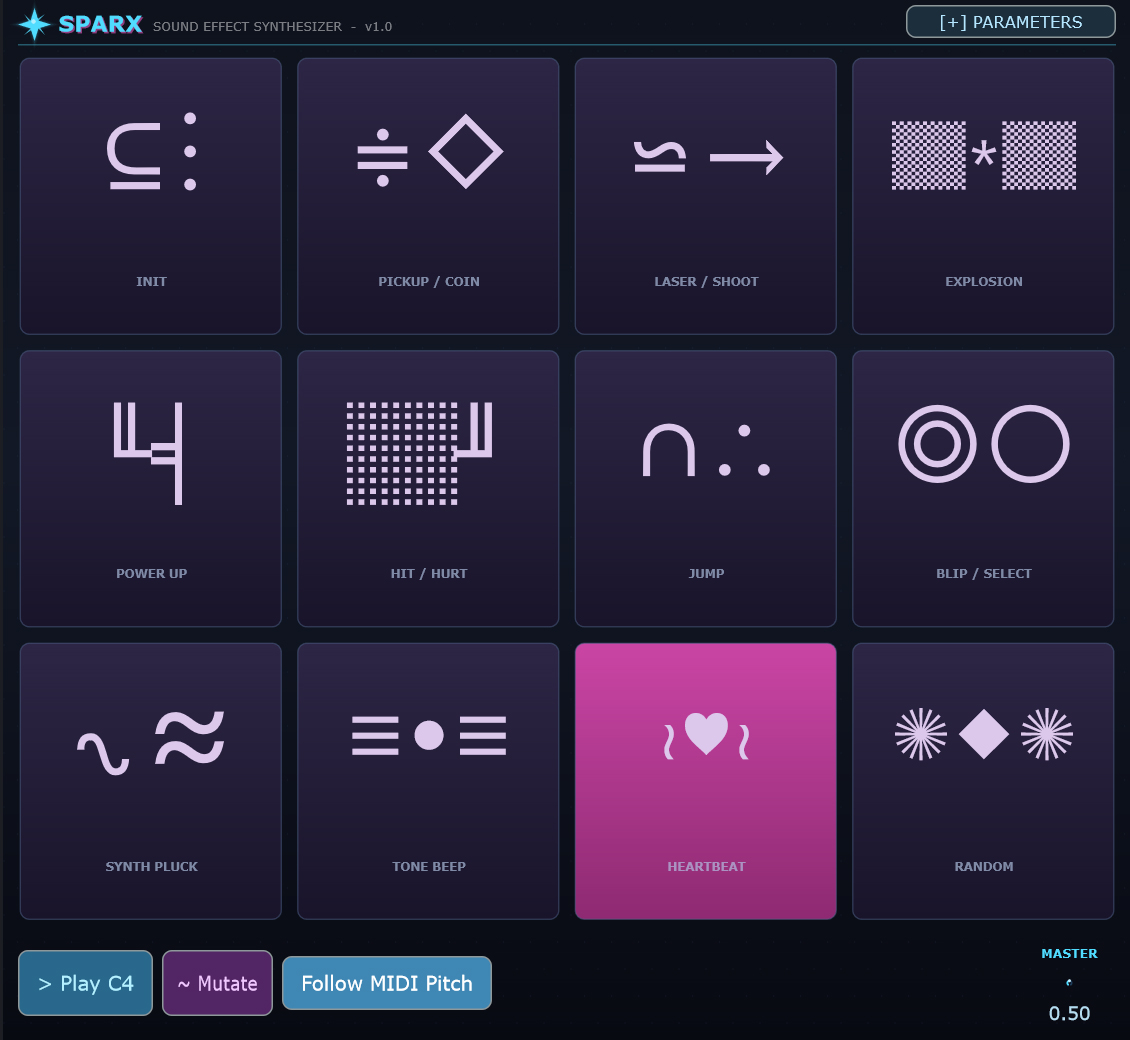
Twelve preset categories — pickup, laser, explosion, power-up, hit, jump, blip,
pluck, beep, heartbeat, plus init and random. Click a category to roll a fresh sound;
Mutate to evolve it; Follow MIDI Pitch to tune it to incoming notes. Modern
descendant of the bfxr / sfxr family.
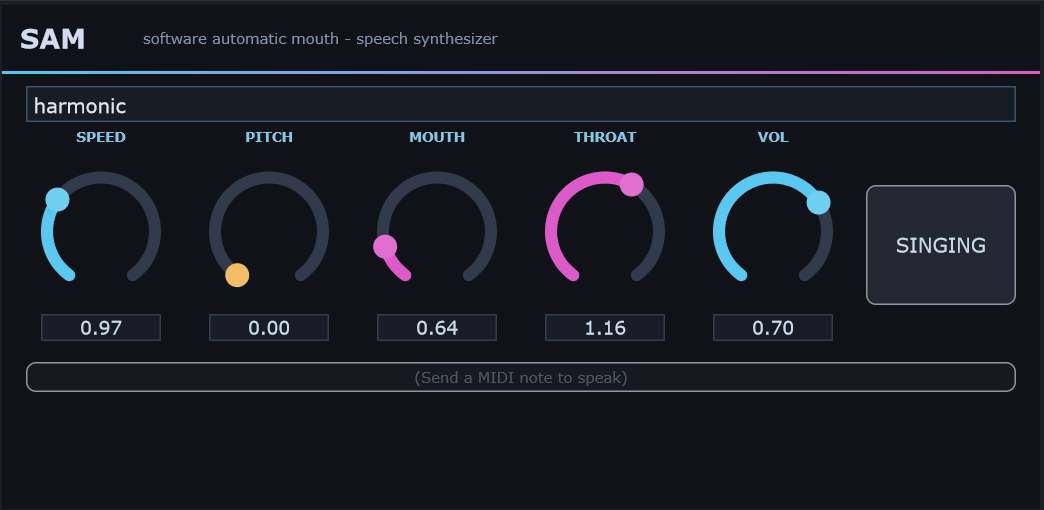
Type a word, send a MIDI note, and the original 1982 SAM speech engine reads it back
in robot voice — Speed, Pitch, Mouth, Throat, Volume controls plus a Singing toggle
that slaves the pitch to MIDI. Iconic, ridiculous, surprisingly musical when stacked
with reverb.
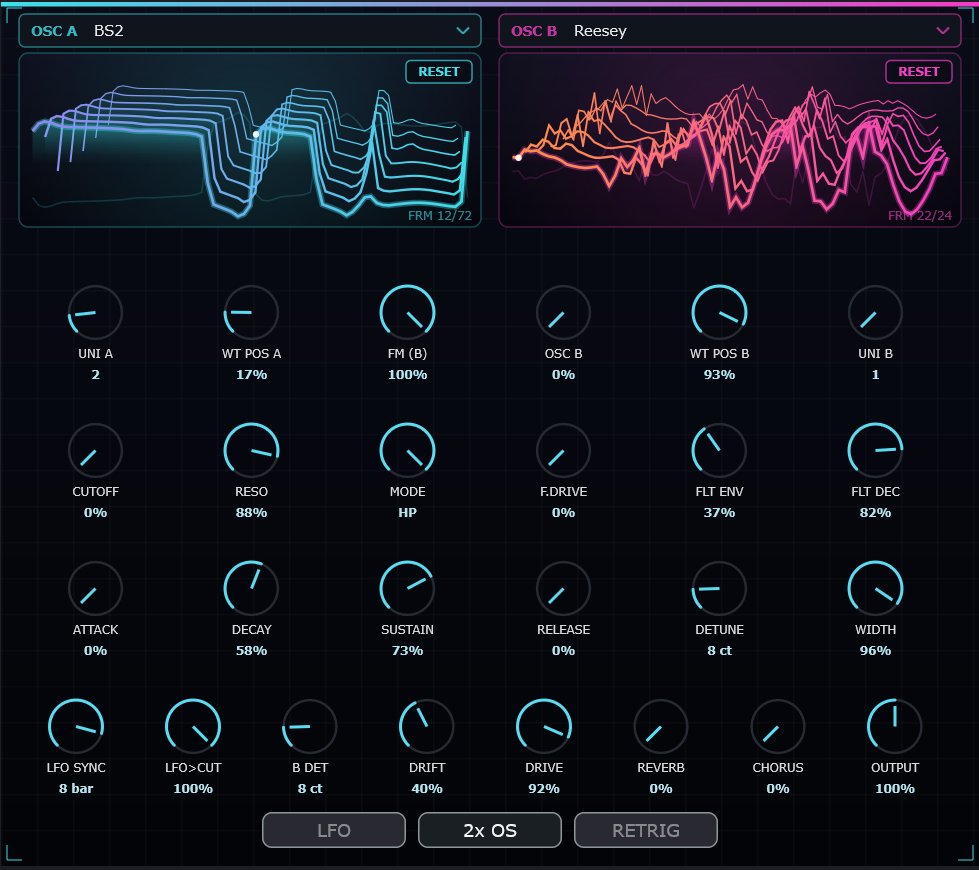
Two wavetable oscillators that load real exported wavetables — each with its own
table, position and unison. OSC B phase-modulates OSC A (FM-from-B) for metallic,
vocal, glassy timbres a single table can't reach. Draw-your-own breakpoint LFO
routed to a 24 dB morphing filter, tempo-synced, with a 3D crystalline wavetable
display that morphs as you sweep the position. Edit, save, and reset tables in place.
两个可加载真实导出波表的波表振荡器——各自拥有独立的波表、位置与齐奏。
OSC B 对 OSC A 进行相位调制(FM-from-B),带来单一波表无法企及的金属、人声、
玻璃质感音色。可自绘断点 LFO,路由到 24 dB 形变滤波器并与速度同步,
配以随位置扫描而形变的 3D 水晶波表显示。波表可就地编辑、保存与重置。
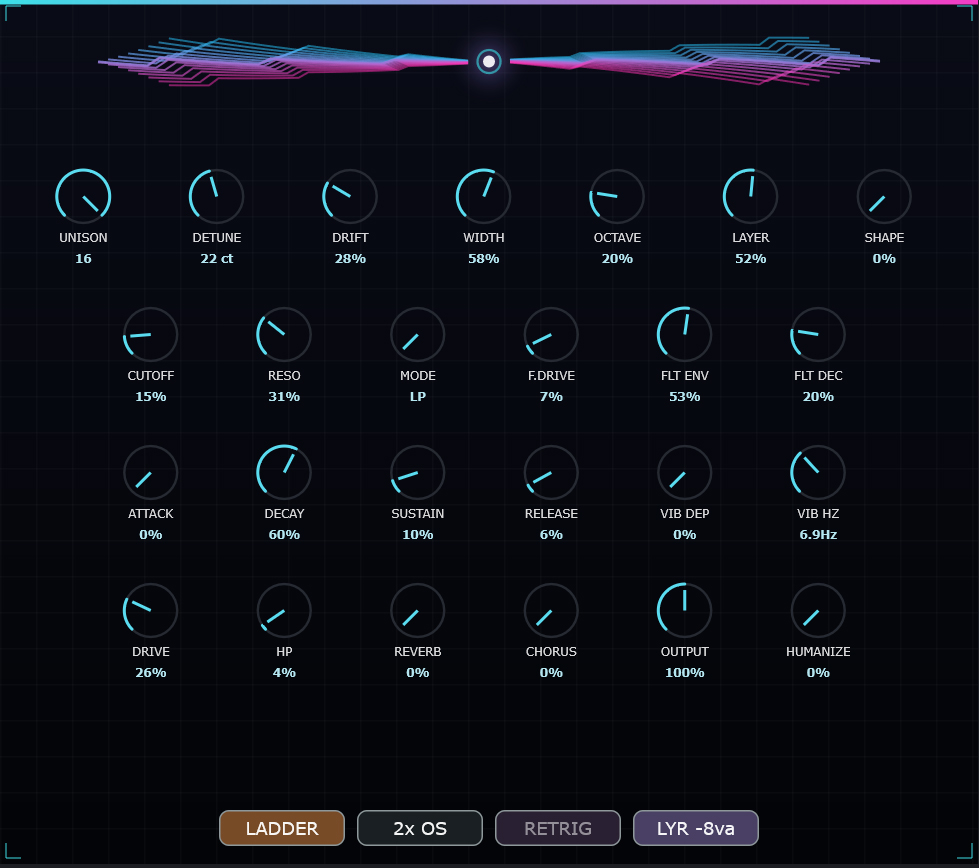
Supersaw
16-voice unison saw lead
16 音齐奏锯齿主奏
Sixteen PolyBLEP saws in unison — the festival / hardstyle lead wall. Wide detune and
stereo spread, a sub-octave layer, ladder / SVF / diode 24 dB filters with a filter
envelope, key-tracked high-pass, drive, vibrato, and a true-peak limiter so the stack
stays huge without spitting. New SHAPE and HUMANIZE knobs give every unison voice its
own band-limited waveform width and re-roll it on each note — spreading the spectrum
and adding analog-style drift so the lead never sounds static.
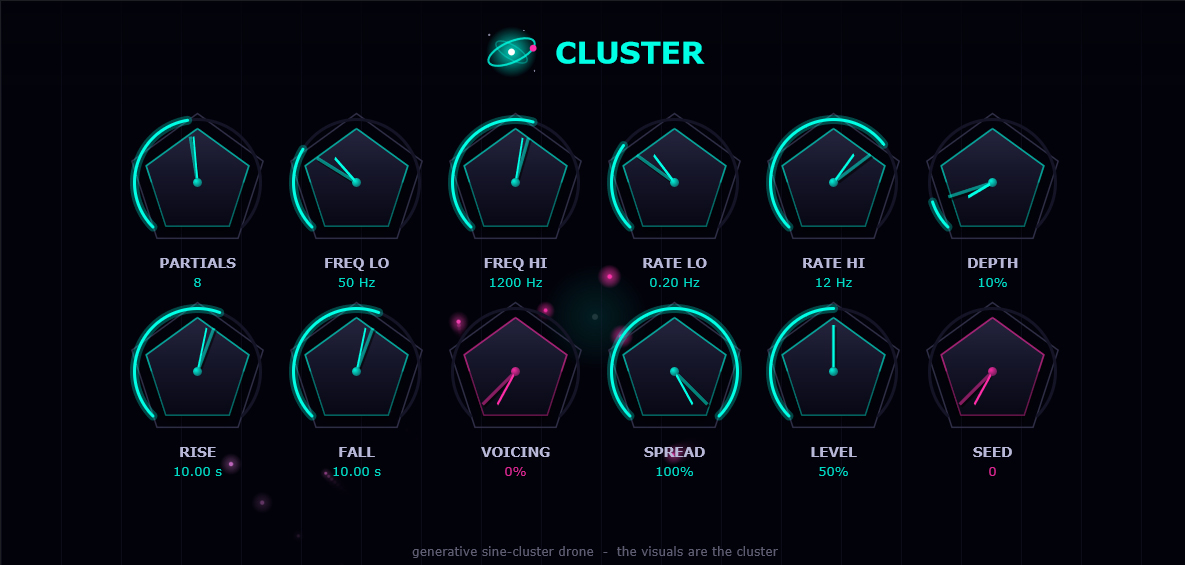
Hold a chord and Cluster grows a shifting constellation of pure sine partials that
drift and beat against each other — a living drone bed, not a static pad. The played
note sets the cluster pitch; SEED fixes the voicing; partial count, frequency range,
LFO rate and depth, voicing, spread and a long rise / fall swell shape how it breathes.
Its own supersampled backdrop animates the cluster as it plays — built for intros,
breakdowns and cosmic floors.
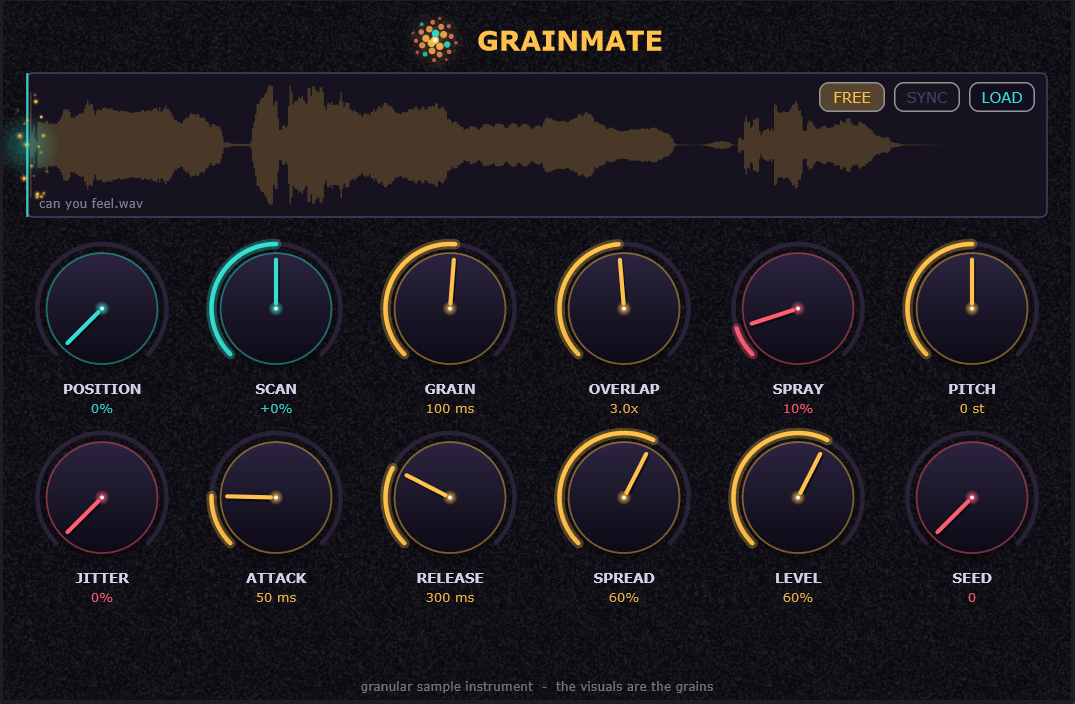
Drop in any audio file and GrainMate scatters it into a cloud of grains you play
polyphonically across the keyboard. A scanning read-head crawls the sample while the
grain engine rebuilds it in real time — position, scan, grain size, overlap, spray,
pitch, jitter and spread, with the scan lockable to project tempo. Flip Free-run and
it becomes a hands-off, self-scanning granular drone with no note required.
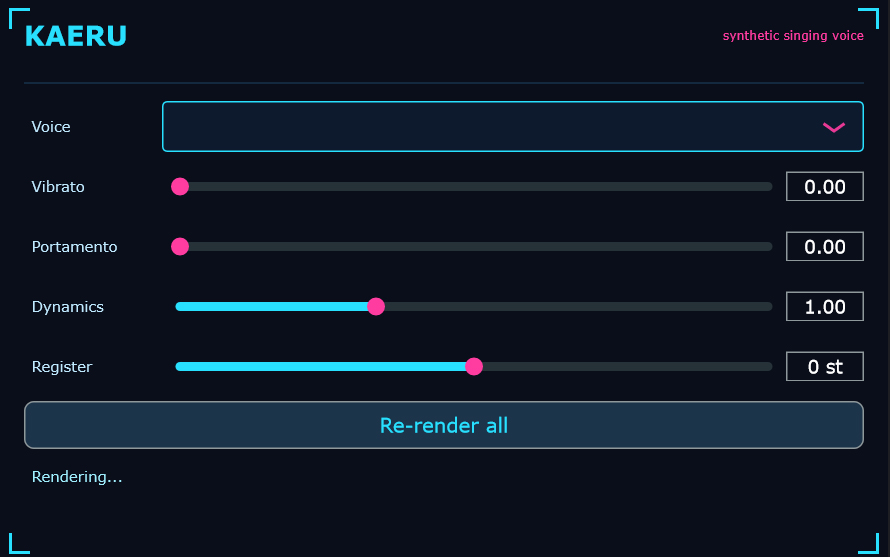
Type lyrics into MIDI notes, draw a melody, hit Re-render all.
Kaeru sings it in Kaerlighed's real voice — trained on studio recordings
using a DiffSinger diffusion model with Whisper word-level phoneme alignment. Vibrato, Portamento, Dynamics and Register sliders. Runs 100% locally
via a lightweight sidecar; no cloud, no subscription, no latency cap.
Kaeru is a MIDI instrument that sings your lyrics in a real trained voice.
Write notes in the piano roll, type a word into each note, set pitches — Kaeru renders
the phrase through a local DiffSinger acoustic model trained on studio recordings
of vocalist Kaerlighed. No cloud, no per-render fee, no generation queue.
It runs as a lightweight localhost server that the DAW queries silently in the background.
The acoustic model was trained on real recordings of Kaerlighed using the
DiffSinger diffusion architecture — the same pipeline behind commercial
singing voice databases. Phoneme alignment uses Whisper word-level
timestamps for word-boundary timing, combined with ARPAbet dictionary lookup for phoneme
sequences. Inference runs via ONNX on CPU — no GPU required. The sidecar installs in
under a minute via Install_SVS.bat; first-time setup downloads a ~320 MB
model bundle. Port 8768, localhost only.
Kaeru 2.0 is currently training on an expanded dataset with SOFA phoneme-level alignment
and will add Breathiness, Tension, Voicing
and PEXP (pitch expressiveness) sliders — giving producers direct control
over Kaerlighed's vocal character. Ships when it sounds right. No date promises.
What's New in 1.9.5 effects rebuilt, CLAP hosting, new processors
1.9.5 新增内容 效果器重制、CLAP 宿主、新处理器
Reverb rebuilt — 32-line FDN sized to Schroeder's mode-density criterion,
energy-normalised injection, permanent DC blocker, mono-safe stereo, and a new M/S DECAY
that lets the side ring up to 2:1 longer than the centre.
Delay — glided, Hermite-interpolated read pointer (no more clicks on
division changes), a tap ladder extended to 1/512, single MIX knob, live echo display.
Force Field Delay — automation now works in both directions on every
control including the menus; SYNC's gating of TIME is visible instead of silent;
double-click resets any knob to its default.
Modal — new parallel modal resonator bank, up to 512 modes.
VST2 and CLAP hosting — CLAP implemented directly against the C API.
Compose from Folder — build arrangements from a folder of samples.
Slice Decimate — new force-field methods for the frame-drop retimer.
Interface — bloom off by default and genuinely sharper geometry across
the application; square Compressor with a live transfer-characteristic display; one
shared theme across the modulation, Compose and Pitch Shift dialogs.
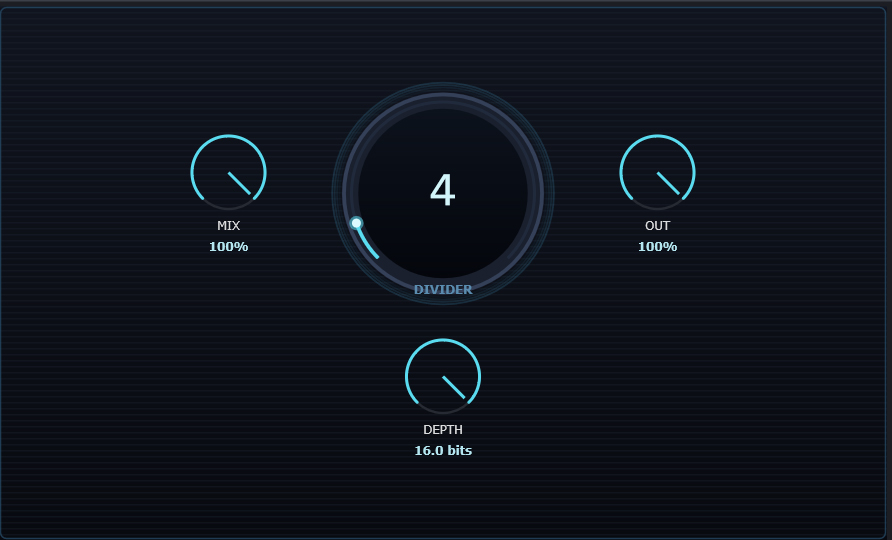
Two independent degradations running together. A sample-rate divider
(×1 to ×64) holds each input sample for N successive samples before emitting a new one
— the classic stair-stepping that folds aliasing back down into the audible band rather
than filtering it away, which is what gives digital crush its metallic edge. Alongside
it, a bit-depth quantiser from 24 bits down to 1, re-rounding every
sample to a coarser grid so quiet passages break up into steps while loud ones stay
comparatively intact. The two interact: heavy division with high bit depth gives ringing
aliasing, light division with low depth gives gritty quantisation noise, and both
together give console-era destruction. Mix and output trim let you blend the damage back
under the source rather than replacing it, so it works as a parallel texture as readily
as an effect.
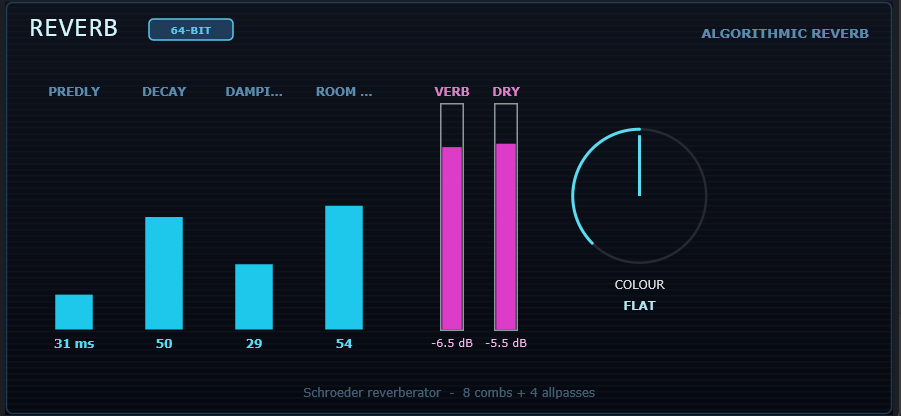
Rebuilt in v1.9.5. A 32-line Feedback Delay Network with Hadamard
mixing, sized to Schroeder's mode-density criterion — strong modes moved from 82 Hz
apart to 10 Hz, which is the difference between ringing and diffusing. Energy-normalised
injection means the tail gets longer, not louder, as REVERB TIME rises. Permanent DC
blocker in every line. Equal-power panning with a shared per-line sign: nothing
anti-phase, every line survives a mono sum. New M/S DECAY lets the side ring up to 2:1
longer than the centre — depth without smearing the middle of your mix — plus mono bass
below 160 Hz. DIFFUSE and RESONANT modes, EFFICIENCY trading 32 / 16 / 8 lines.
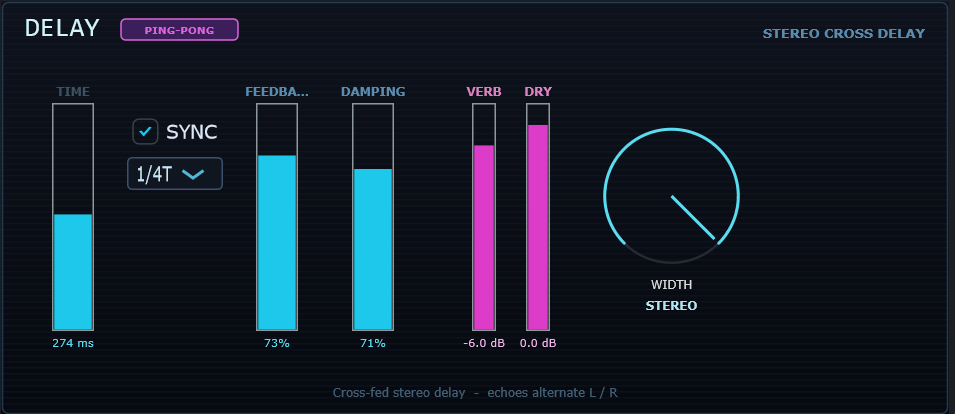
Two cross-fed delay lines so echoes alternate L → R → L → R. v1.9.5
replaces the integer read pointer with a 60 ms glide and 4-point Hermite interpolation,
so changing division is a tape-style pitch slide instead of a click. The tap ladder now
runs to 1/512 — twelve note values on one knob handing over to a
37-step harmonic-degree ladder on the next, so reading left to right the delay only ever
gets shorter. At 120 BPM the top of the ladder is 3.9 ms (256 Hz), well into pitched
Karplus-Strong territory. Single MIX knob, all-knob panel, and a live display of the
actual echo pattern — tap spacing, feedback decay, damping and ping-pong.
两条交叉反馈的延时线,使回声在 L → R → L → R 之间交替。v1.9.5
将整数读指针改为 60 毫秒滑移加 4 点 Hermite 插值,因此切换分割时是磁带式的音高滑动
而非咔哒声。分割阶梯现已延伸至 1/512——一个旋钮上十二种音符时值,
交接到下一个旋钮上 37 级的谐波度数阶梯,从左向右读取时延时只会越来越短。
在 120 BPM 下阶梯顶端为 3.9 毫秒(256 Hz),已进入有音高的 Karplus-Strong 领域。
单一 MIX 旋钮,全旋钮面板,并实时显示真实的回声图案——间距、反馈衰减、阻尼与乒乓。
Compressor
Feed-forward dynamic range control
前馈式动态范围控制
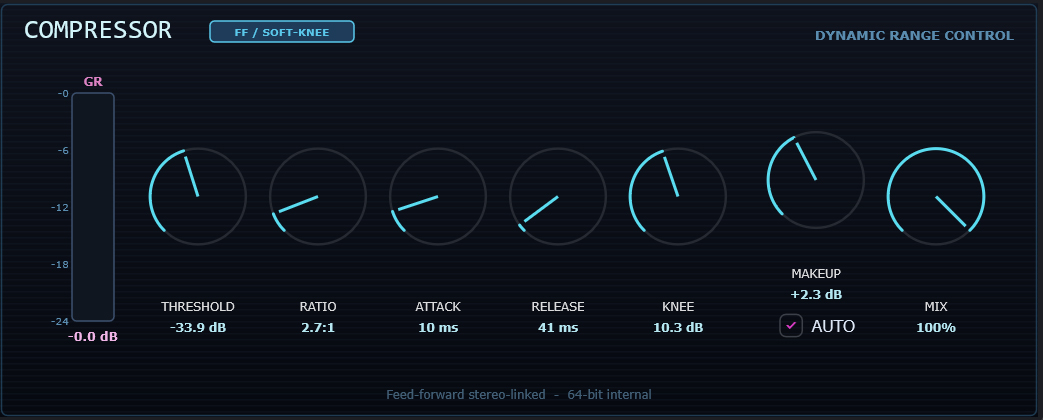
A feed-forward design with all the standard controls — threshold, ratio, attack,
release, knee, make-up gain and mix — computing gain reduction from the input rather
than the output, so the response is predictable and the knee behaves the way the curve
says it will. The soft knee interpolates smoothly through the threshold region instead
of switching abruptly, which is the difference between compression you hear working and
compression you only notice when it stops. Parallel MIX means you can keep transients
intact underneath a heavily compressed layer without a second bus.
The panel is built around a live transfer characteristic — input dB
across, output up, a unity diagonal for reference, and the actual curve computed from
your current settings including the knee interpolation. Knee width is something you can
see rather than infer. A dot rides the curve at the current operating point, and a
horizontal GR meter is locked to the display's width beneath it.
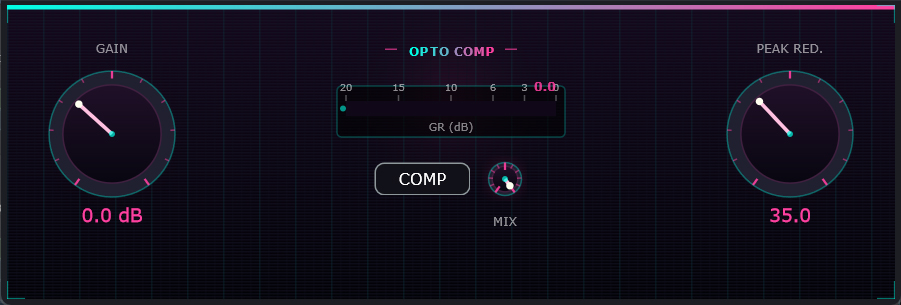
An optical-cell compressor in the LA-3A lineage. Where a feed-forward compressor
computes exactly the gain reduction its settings specify, an opto cell is a physical
component with its own behaviour: the release is programme-dependent,
fast at first and then slowing as the cell recovers, and the attack softens as gain
reduction deepens. You do not set that curve — it emerges, which is why opto
compression sits so naturally on vocals and bass where a linear release would pump.
The result flatters sustained material and largely ignores fast transients, so it
levels a performance rather than shaping individual hits. PEAK REDUCTION drives the
cell, GAIN makes up the loss, and MIX blends the compressed signal back against the
source for parallel work. The panel reads as a metering instrument — crisp cyan
detector controls with amber on the one knob that adds level.
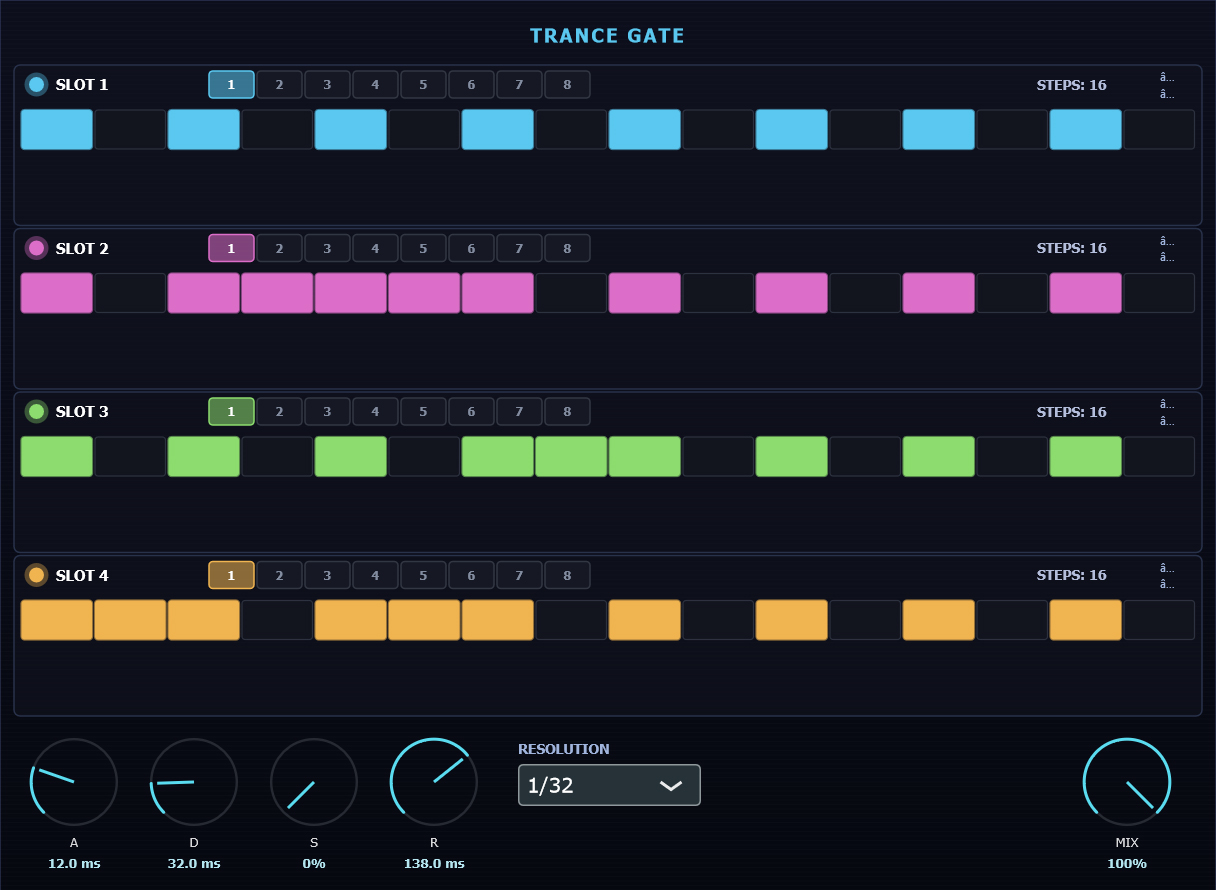
A tempo-synced amplitude gate that chops audio on a rhythmic grid. Each step is either
ON (passes) or OFF (mutes), and an ADSR envelope shapes every ON step's edges
— without that, switching a signal on and off produces a click on every transition, which
is why a gate built from raw on/off states sounds like static rather than rhythm. Attack
softens the opening, release the close, so you can go from a hard stutter to a breathing
pulse with the same pattern. Four sequence slots chain together, so a
pattern can evolve across four bars instead of repeating every one — the difference
between a gate that drives a track and one you have to automate around. Step count, rate
and grid division are all tempo-locked, so it stays in time through tempo changes.
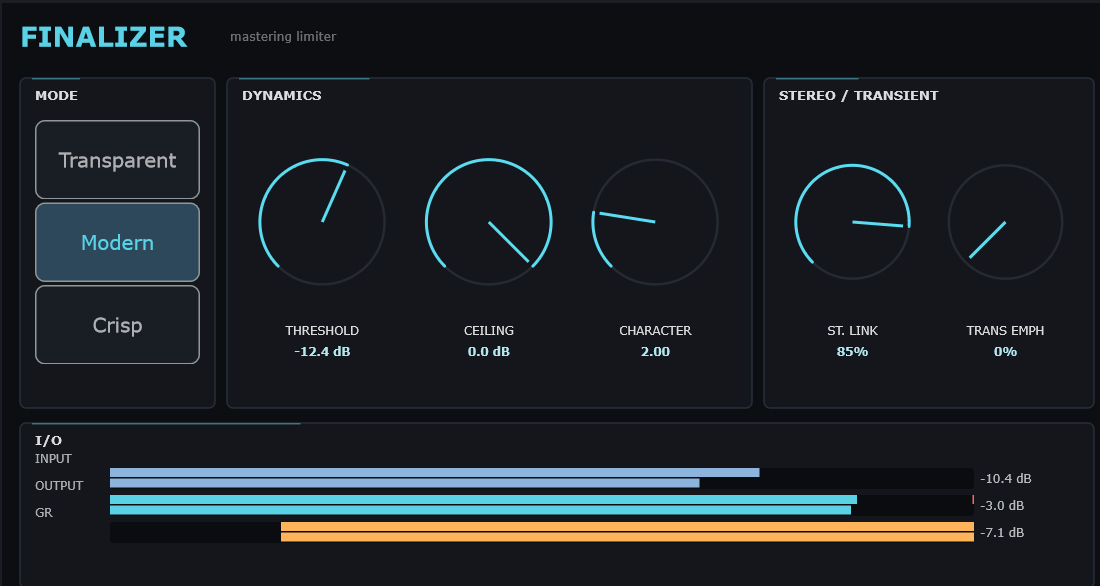
Three modes — Transparent (clean ceiling guard), Modern (gentle saturation),
Crisp (aggressive, brighter). Threshold, ceiling, character, stereo link, transient
emphasis, true-peak detection and soft clip. Live input / output / GR meters.
New in v1.9.5: UPWARD. Every other tool here works on peaks; upward
compression is the other half — it raises material below the threshold and leaves
everything above it untouched, so average level rises with no gain reduction to pump.
That is categorically cleaner than more limiting. Runs before the limiter, linked so
the stereo image cannot wander on quiet passages, up to +10 dB of lift.
三种模式——Transparent(干净的天花板保护)、Modern(温和饱和)、
Crisp(激进、更明亮)。门限、天花板、特性、立体声联动、瞬态强调、
真峰值检测与软削波。实时输入 / 输出 / GR 表头。
v1.9.5 新增:UPWARD(向上压缩)。这里其他工具都作用于峰值;
向上压缩是另一半——它提升门限以下的素材,完全不触碰门限以上的部分,
因此平均电平上升而没有任何增益衰减可"喘息"。这在本质上比继续限制更干净。
置于限制器之前,左右联动以免安静段落的立体声像漂移,最高提供 +10 dB 提升。
Analyzer
1/3-octave spectrum analyzer
1/3 倍频程频谱分析仪
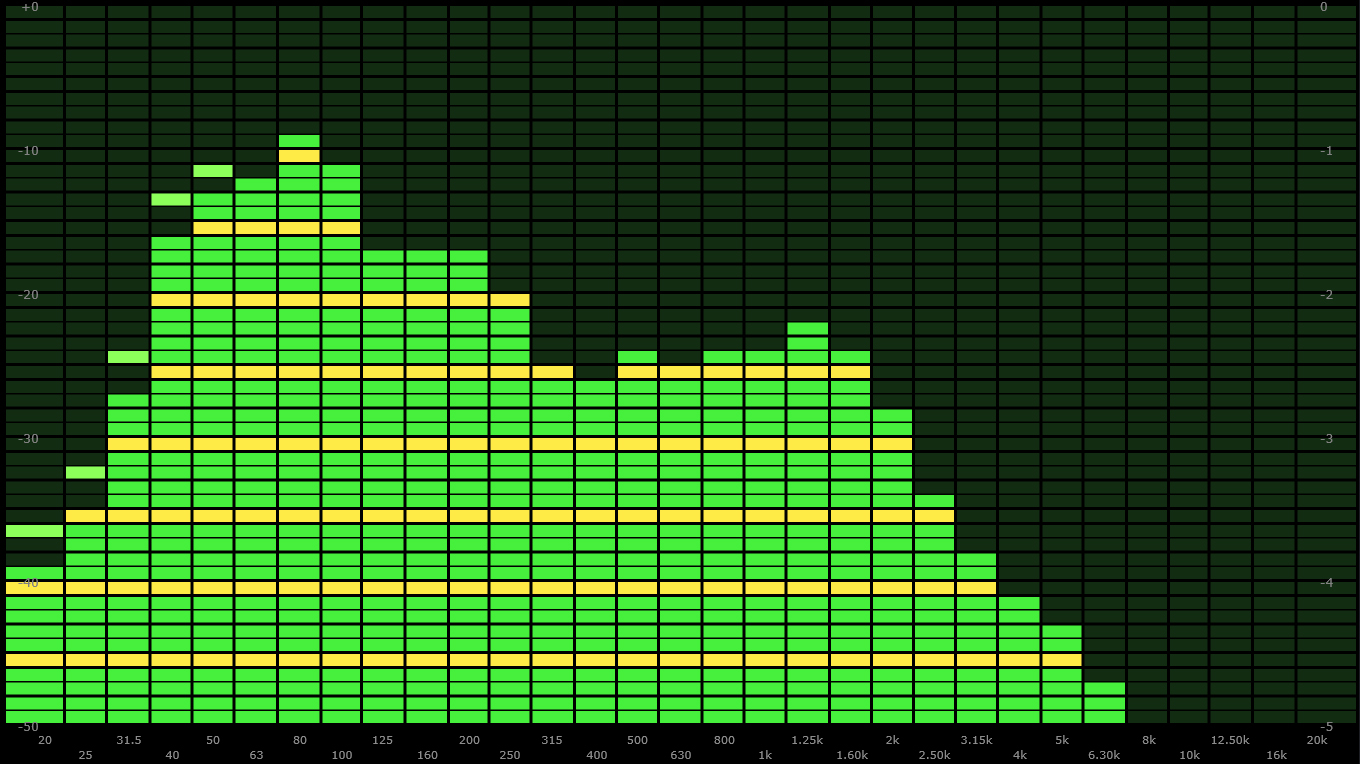
A pure pass-through spectrum analyser — it modifies nothing, so you can leave it
anywhere in a chain without consequence. Thirty-one ISO 1/3-octave bands
from 20 Hz to 20 kHz, which is the standard used for acoustic measurement rather than a
linear FFT display: bands are spaced the way hearing is, so an even-looking readout
actually corresponds to an even-sounding balance. A linear FFT gives most of its
resolution to the top two octaves, where you need it least. Insert it before and after a
processor to see exactly what that processor did, or park it on the master to check
spectral balance against a reference while you mix.
Two genuinely different engines rather than one algorithm stretched across both jobs.
A phase-locked vocoder handles musical pitch shifting — it keeps the
phase relationships between a partial and its neighbours intact, which is what stops
shifted material smearing into the characteristic "underwater" artefact. Separately, a
spectral bin-remapper produces robotic and inhuman character by moving
energy between frequency bins with no attempt to preserve the harmonic relationships at
all. Forcing one engine to do both is exactly what makes most pitch tools sound either
clean but sterile or characterful but broken. Formant control is independent of pitch,
so you can move a voice down two octaves while keeping the vocal tract where it was, or
shift the formants alone to change apparent body without touching the note.
这是两套真正不同的引擎,而不是把一个算法硬拉去做两件事。
相位锁定声码器负责音乐性的移调——
它保持分音与相邻分音之间的相位关系完好,
这正是移调后素材不会糊成典型"水下"人工痕迹的原因。
另一套独立的频谱 bin 重映射器则通过在频率 bin 之间搬移能量、
完全不试图保留谐波关系,来制造机械与非人的音色。
强迫单一引擎同时完成这两件事,恰恰是大多数移调工具要么干净但呆板、
要么有个性但破碎的原因。共振峰控制与音高相互独立,
因此你可以把人声降低两个八度而保持声道特征不变,
也可以只移动共振峰来改变听感上的"体积"而不触碰音高。
Spectral Freeze
Frame freeze + infinite sustain
频谱冻结 + 无限延音
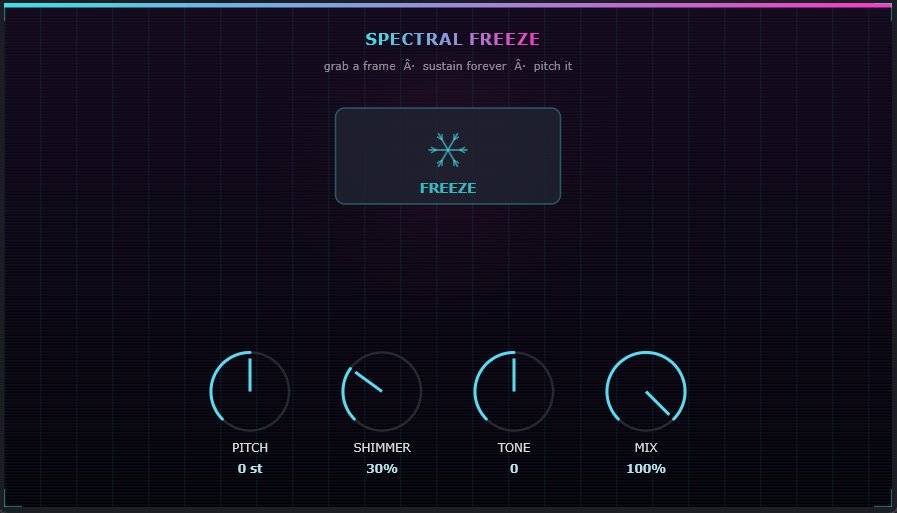
Hit FREEZE and the current spectral frame is latched and sustained indefinitely — not a
looped buffer, which repeats and reveals its seam, but a single analysed frame
resynthesised continuously, so it holds forever without a loop point to hear. That is
the distinction that makes it useful for drones: there is nothing periodic to give it
away. The frozen frame can then be pitched independently of the source it came from, so
one held chord becomes a whole pad by freezing it at several pitches. Because the freeze
captures a moment rather than a duration, where you place it matters — freeze
the attack of a note and you get a bright, edgy sustain; freeze the tail and you get
something soft and hollow from the same source.
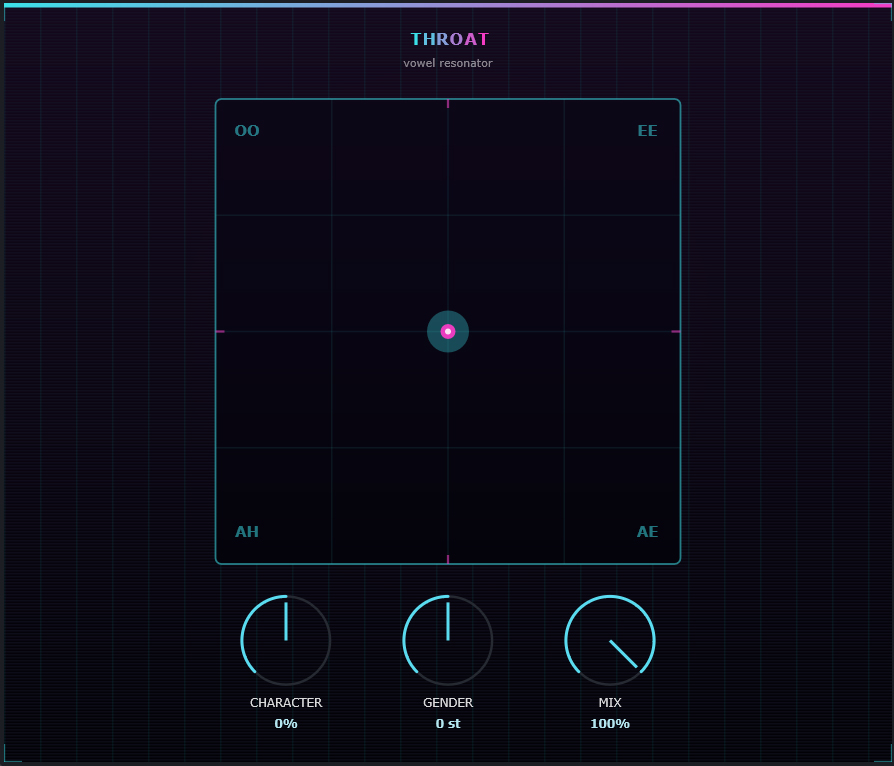
Built on its own STFT engine rather than wrapping a stretch library with resonators
bolted on, which is what lets the vowel character be part of the analysis instead of a
filter placed after it. Throat models the vocal tract — the resonant
cavity that turns a raw glottal buzz into a recognisable vowel — and lets you move
through vowel space on material that never had a voice in it. A pad becomes a choir, a
drum loop starts speaking. Because the formants are imposed spectrally rather than by
band-pass filtering, they survive on sources with sparse harmonic content where a
filter bank would simply find nothing to resonate. Distinct from Spectral Freeze, which
is a sustain tool: this is a character tool, and the two chain well together.
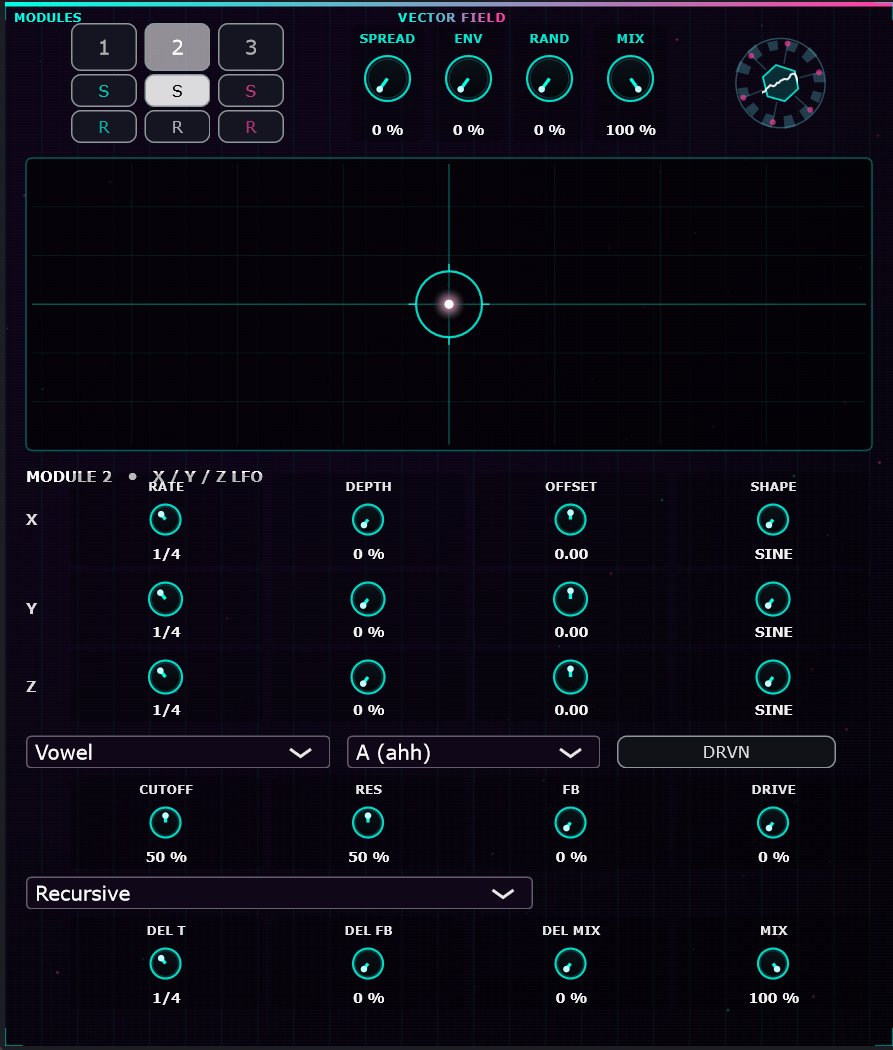
Four filter and distortion modules, each driven by three LFOs assigned to X, Y and Z
axes, with independent delays per module. The vector-field metaphor is literal: each
module is a point moving through a three-dimensional modulation space, and its position
determines cutoff, drive and delay simultaneously. Because all three axes come from
independent LFOs at different rates, the modules trace paths that never repeat exactly
— related motion rather than four separate LFOs going their own way, which is what
keeps it coherent instead of chaotic. Set the rates in simple ratios and you get
rhythmic interlocking; set them irrationally and it evolves for minutes without
obviously cycling. Per-module delay means the four voices smear across time as well as
spectrum.
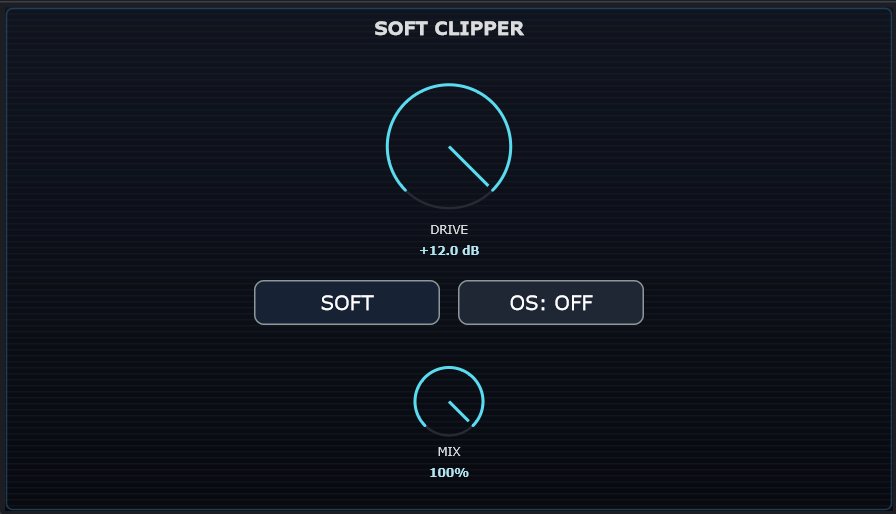
A saturation stage that rounds peaks instead of shearing them. A hard clipper replaces
everything above the ceiling with a flat line — hundreds of consecutive samples at
exactly full scale — which generates high-order odd harmonics and reads as harsh digital
breakup. This rounds the top of the waveform through a smooth curve, so the transition
into limiting is gradual and the harmonics it adds fall off quickly with order: warmth
rather than damage. Output is mathematically guaranteed to stay within the ceiling, so
it doubles as a safety stage. Placed before a limiter it removes the sharpest peaks so
the limiter works less and pumps less; used alone with drive it thickens a source
without noticeably reducing dynamics.
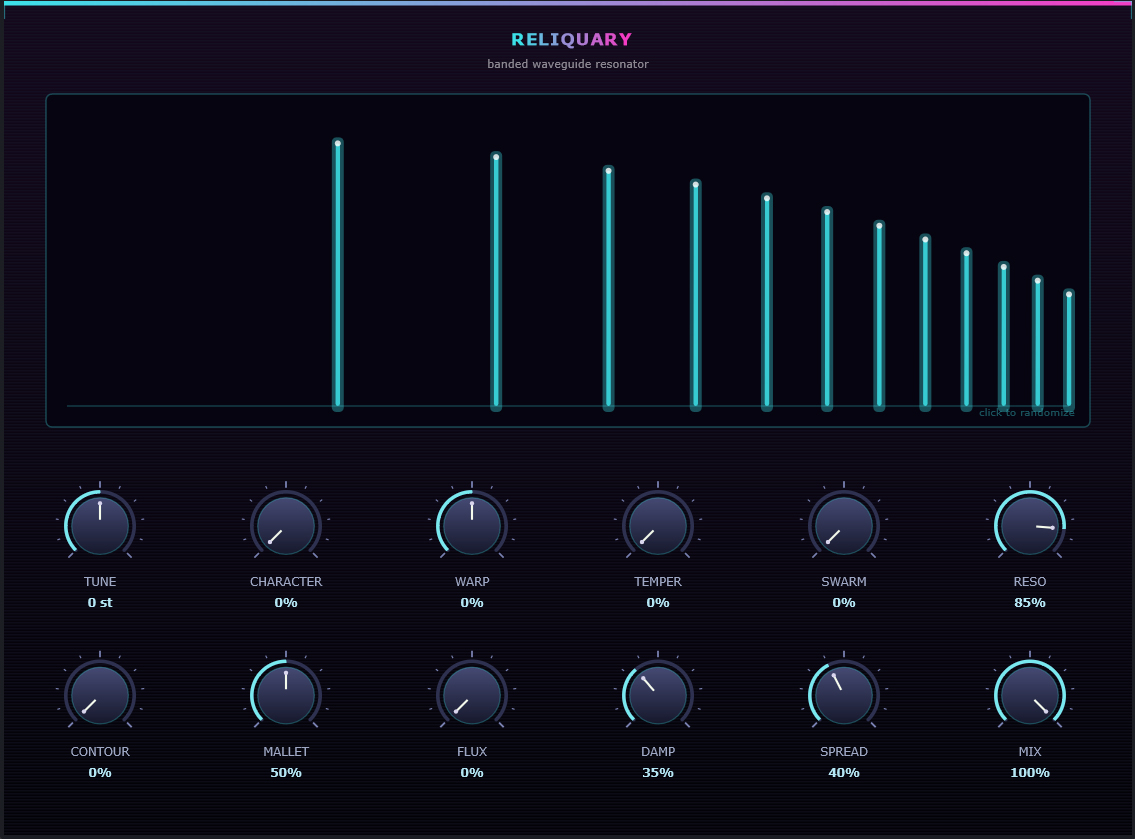
A spectral banded waveguide. Where a classic recycling delay loops one line and gets a
single compromised pitch out of it, Reliquary runs a bank of short feedback loops — one
per harmonic partial of a tracked fundamental. Each loop is fed a band-pass
slice of your own audio, so it recycles the part of your signal sitting near
that partial rather than synthesised noise or a string model. Each has a fractional
delay length tuned by a first-order allpass interpolator, so every partial is dead in
tune at any pitch — the thing integer and linearly-interpolated loops both get wrong.
Each partial carries its own decay, so lows can ring while highs damp like a real string,
or the reverse for something metallic. One CHARACTER macro bends the partial ratios from
perfectly harmonic through stretched and inharmonic to dense clusters: string to bell to
drone on a single knob, with tuning, spectrum and decay stated independently underneath.
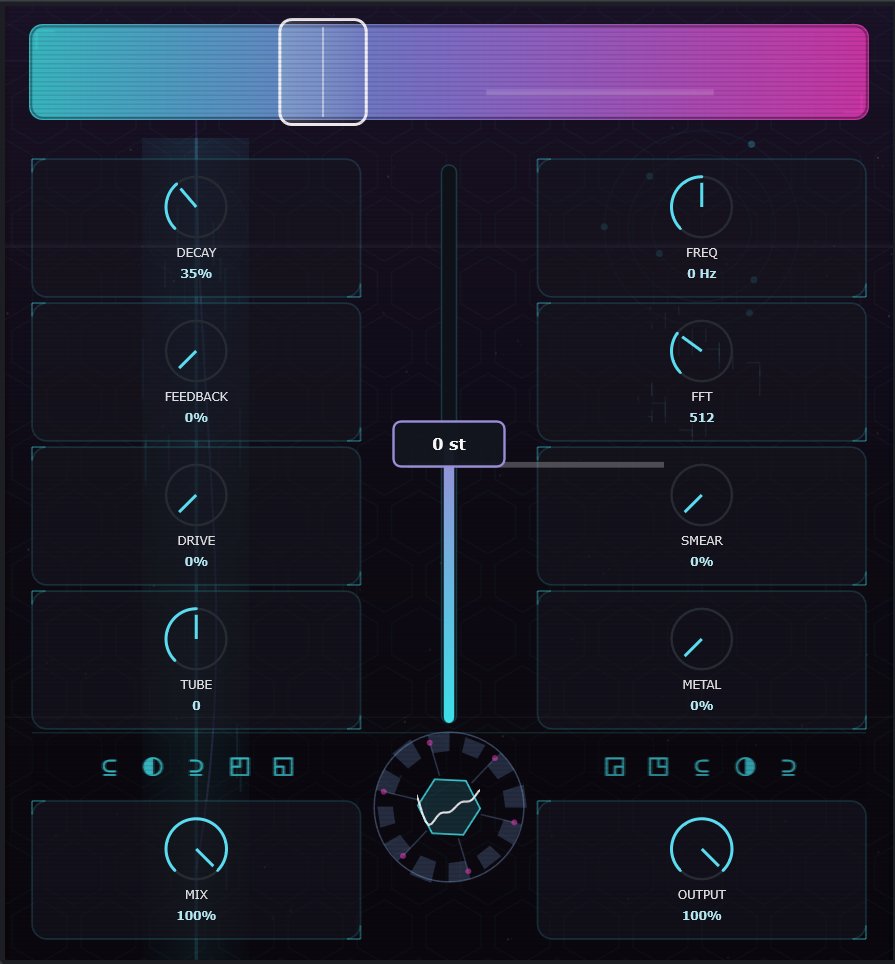
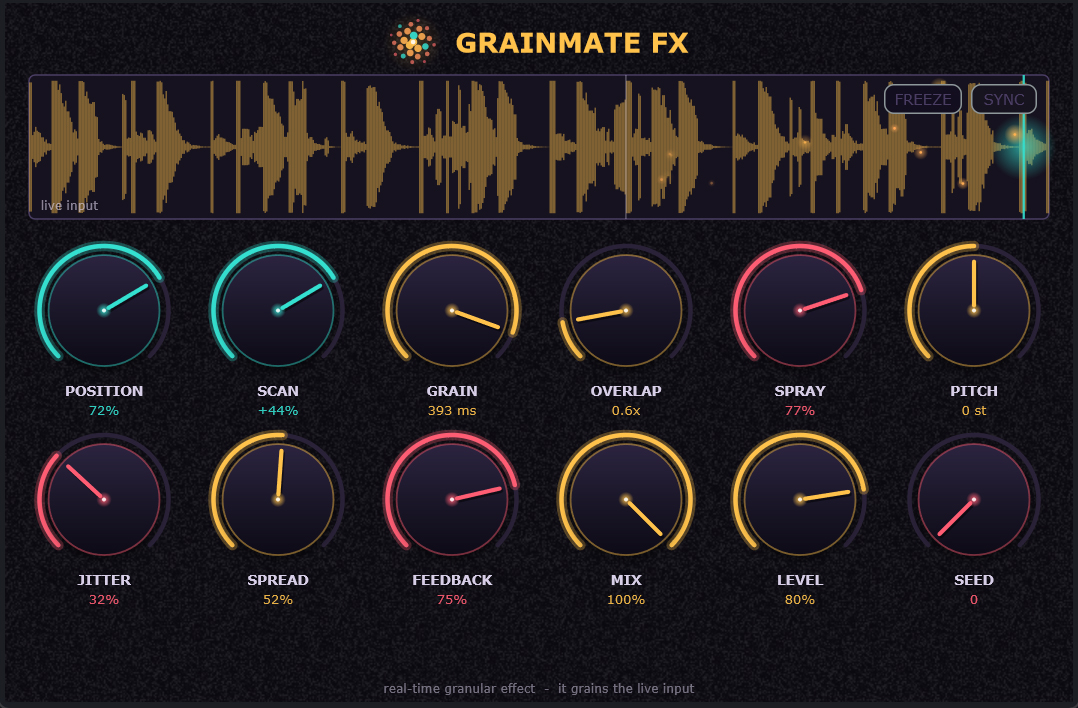
The GrainMate engine pointed at your live input. It captures incoming audio into a
rolling four-second buffer and granulates it on the fly — pitch-shift, smear, stretch
and scatter, fully wet / dry mixable. Because the buffer is continuously refreshed, the
grains always come from what you are playing now, so it tracks a performance
instead of replaying a sample. Freeze snapshots the buffer and grains
it indefinitely, turning any passing moment into a sustained texture. Feedback
routes output back into the capture, so grains re-granulate themselves and the texture
evolves rather than repeating — the difference between a granular effect and a granular
instrument. The scan position locks to tempo, so the read head moves in time with the
track. A live view shows the capture buffer, the read head and each grain as it fires.
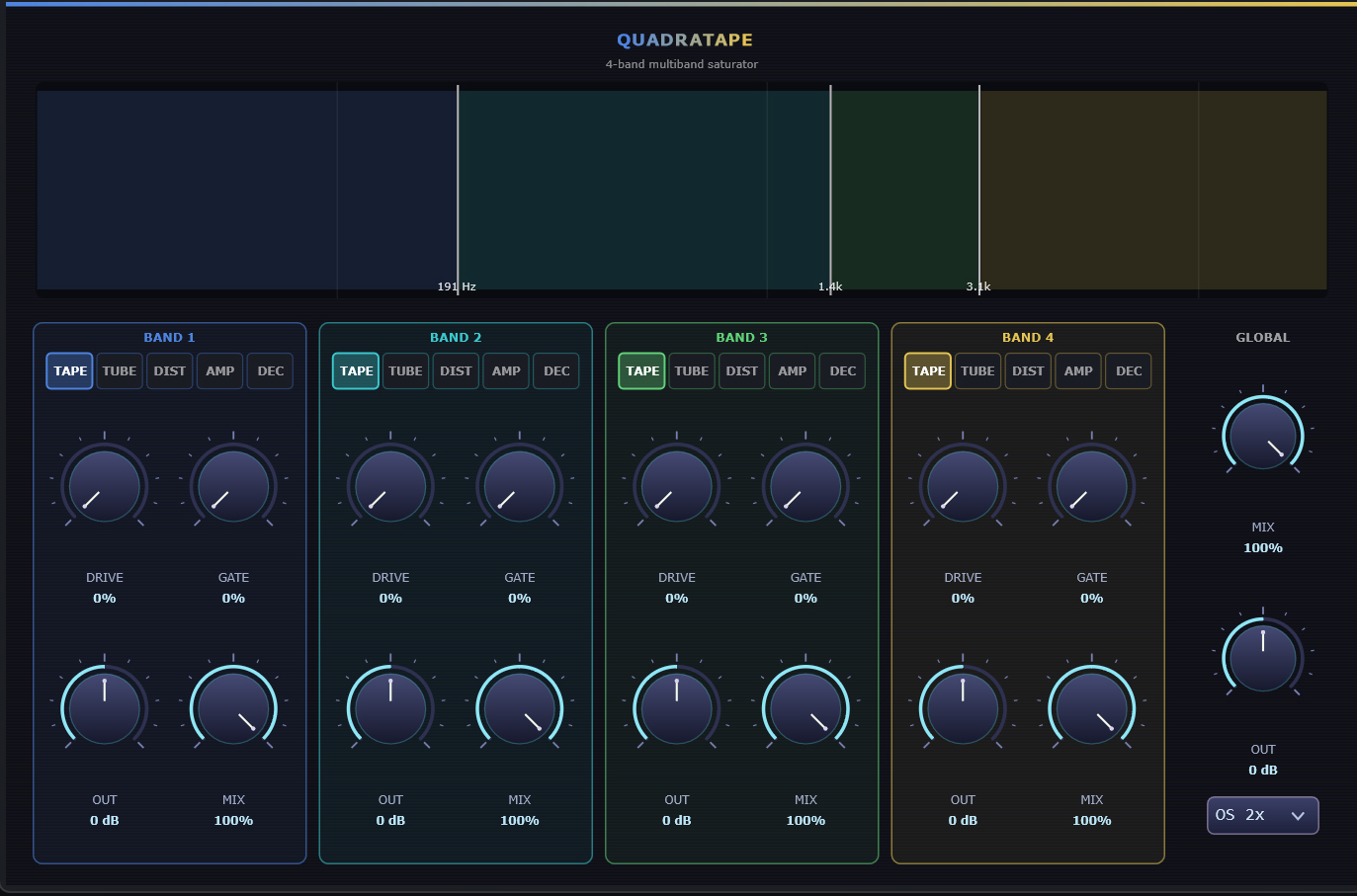
A multiband saturator: the signal is split into four bands by a Linkwitz-Riley
crossover tree — three crossovers, default 191 Hz / 1.4 kHz / 3.1 kHz — with
allpass reconstruction, so with every band clean the four sum back to a magnitude-flat
copy of the input. The default patch is genuinely transparent; you are only setting
band borders until you push something. Then each band saturates through one of five
shapers: TAPE (soft symmetric tanh compression), TUBE
(asymmetric, even-harmonic warmth), DIST (cubic clipper, aggressive odd
harmonics), AMP (two-stage cascaded squash) and DEC
(decimator — sample-hold plus quantise). Per band: drive, a downward gate, output trim
and its own dry / wet mix, with a global mix and output on top. Distort the low end
without touching the cymbals, or crush only the top band.
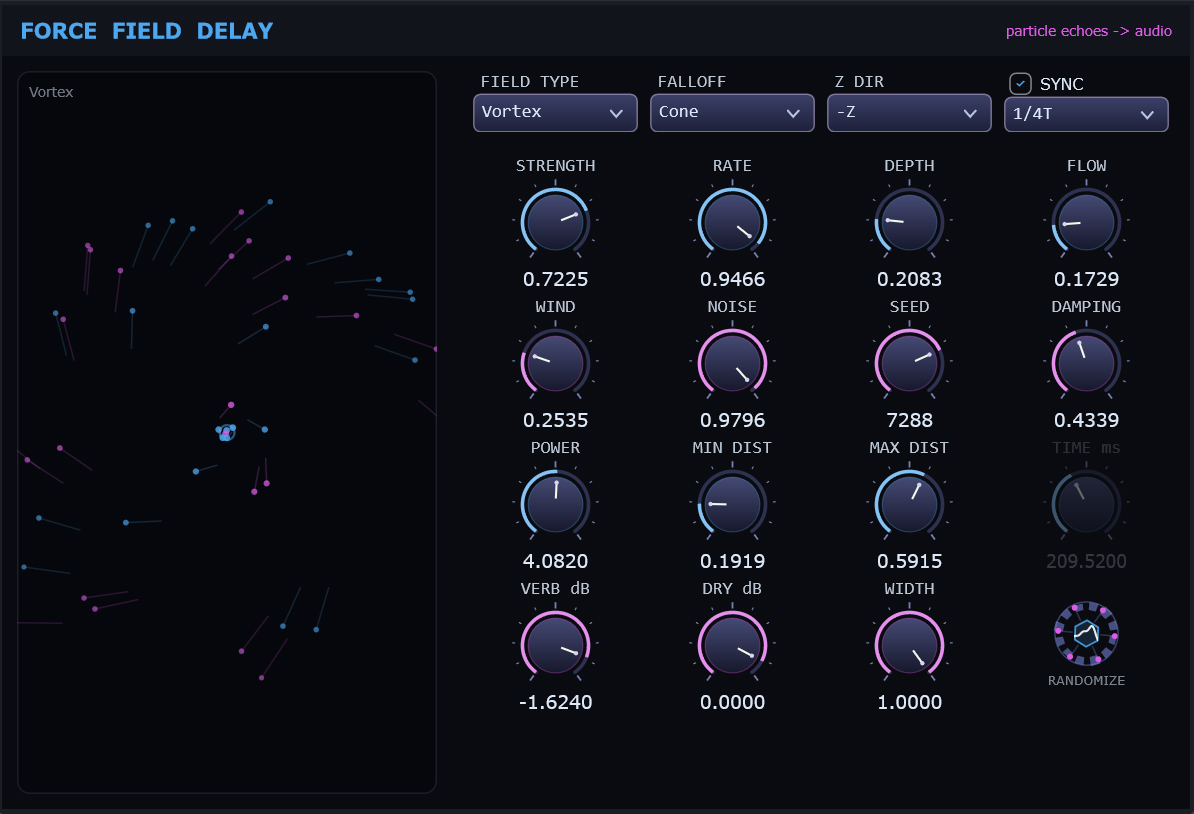
Most delays give you a time and a feedback amount. This one treats every echo as a
particle moving through a field, and gives you the field. Each tap has an age,
and the force acts on it continuously as it ages — bending its delay time, its stereo
position, its feedback path. The repeats do not just decay; they travel. Thirteen field
types, each a different force law: Vortex runs time modulation in
quadrature between channels so echoes orbit rather than oscillate;
Magnetic applies force perpendicular to motion with heavy cross-feed;
Harmonic is a damped spring whose swing settles with tap age;
Charge accelerates taps so repeats crowd together;
Lennard-Jones uses the intermolecular potential — repulsive close in,
attractive further out — so taps push apart then pull back together. Plus Wind, Drag,
Turbulence, Texture, Curve Guide, Boid, Fluid Flow and a flat Force reference.
FALLOFF and POWER shape how force decays with distance; MIN / MAX DIST bound where it
acts at all. Tempo-synced across the same 37-step ladder as the Delay, or free in
milliseconds.
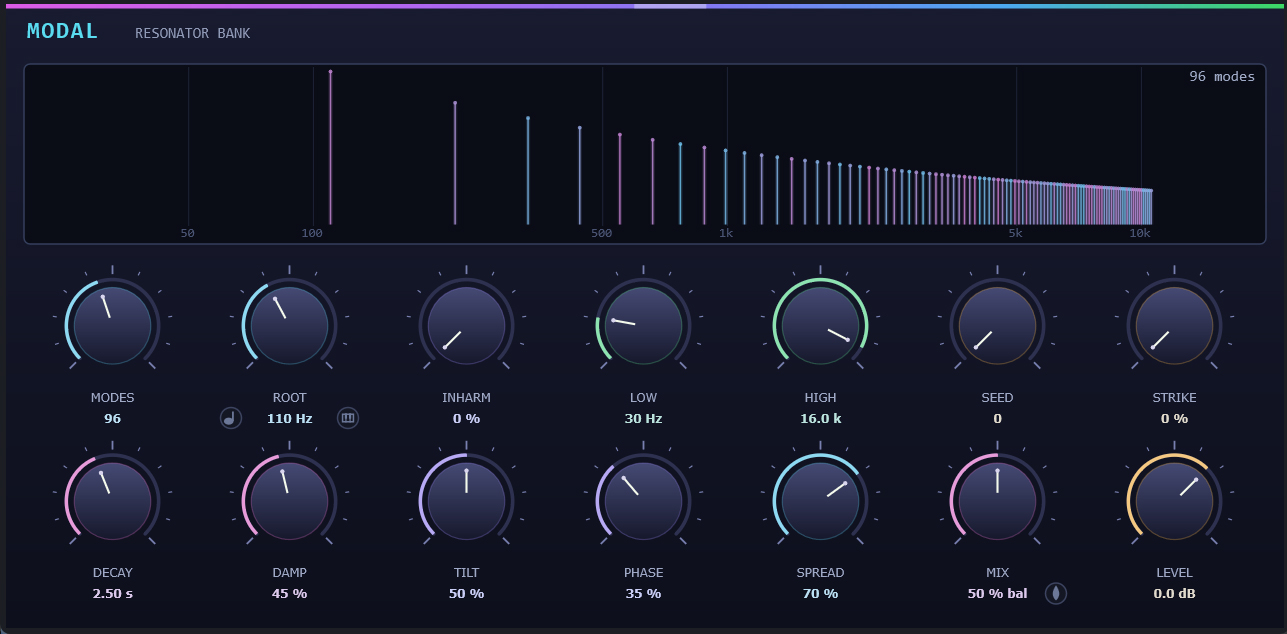
Modal synthesis represents a resonant object as a sum of second-order modes. Where
Reliquary is a banded waveguide — tuned delay loops, limited to twelve partials
by memory — this is a bank of resonators, costing a handful of registers each
and scaling to 512 modes. Three decisions make it sound like an object
rather than a filter bank: each mode is a coupled-form rotation, so frequency IS the
rotation angle and decay IS the radius — no biquad coefficients to lose precision in
when poles sit microscopically close to the unit circle at long decays; every mode
carries a zero as well as its poles, which is what fills the response between
resonances instead of leaving comb notches; and injection is energy-normalised with a
bounded loss, so the ring is usable on transients without a sustained tone running away.
Stiff-string inharmonicity (fk = k·f₀·√(1+B·k²)) sweeps from harmonic through
bell to dense metallic clusters. STRIKE is a transient shaper on the excitation
— measured, it sharpens a kick by 35 dB while ducking sustained material, which is what
turns a drone into something that reads as struck. Optional MIDI tuning, per-mode stereo
spread, and a live display of the actual mode layout on a log axis.
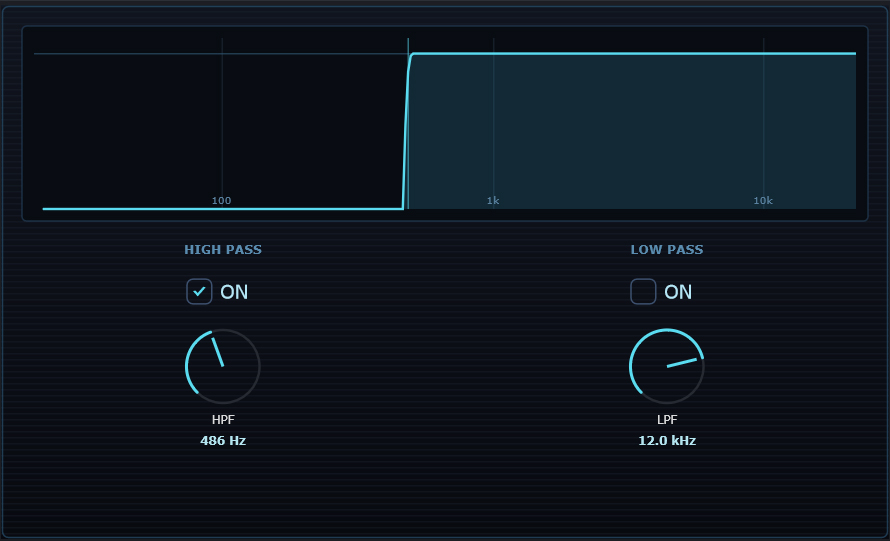
Surgical frequency shaping without phase dispersion. A minimum-phase filter — every
analogue EQ and most digital ones — shifts different frequencies by different amounts of
time, so cutting the low end of a drum bus moves the low frequencies of the attack
transient relative to the highs, smearing it. The linear-phase kernel introduces
zero group-delay variation: every frequency is delayed identically, so
the waveform's shape survives the filtering intact. That matters most where phase
relationships carry the information — parallel processing, multi-mic sources, mastering,
anywhere the filtered signal will be summed against something unfiltered. High-pass and
low-pass in one unit with adjustable corner frequencies, fully automatable. The trade is
latency, which the DAW compensates for automatically per slot.
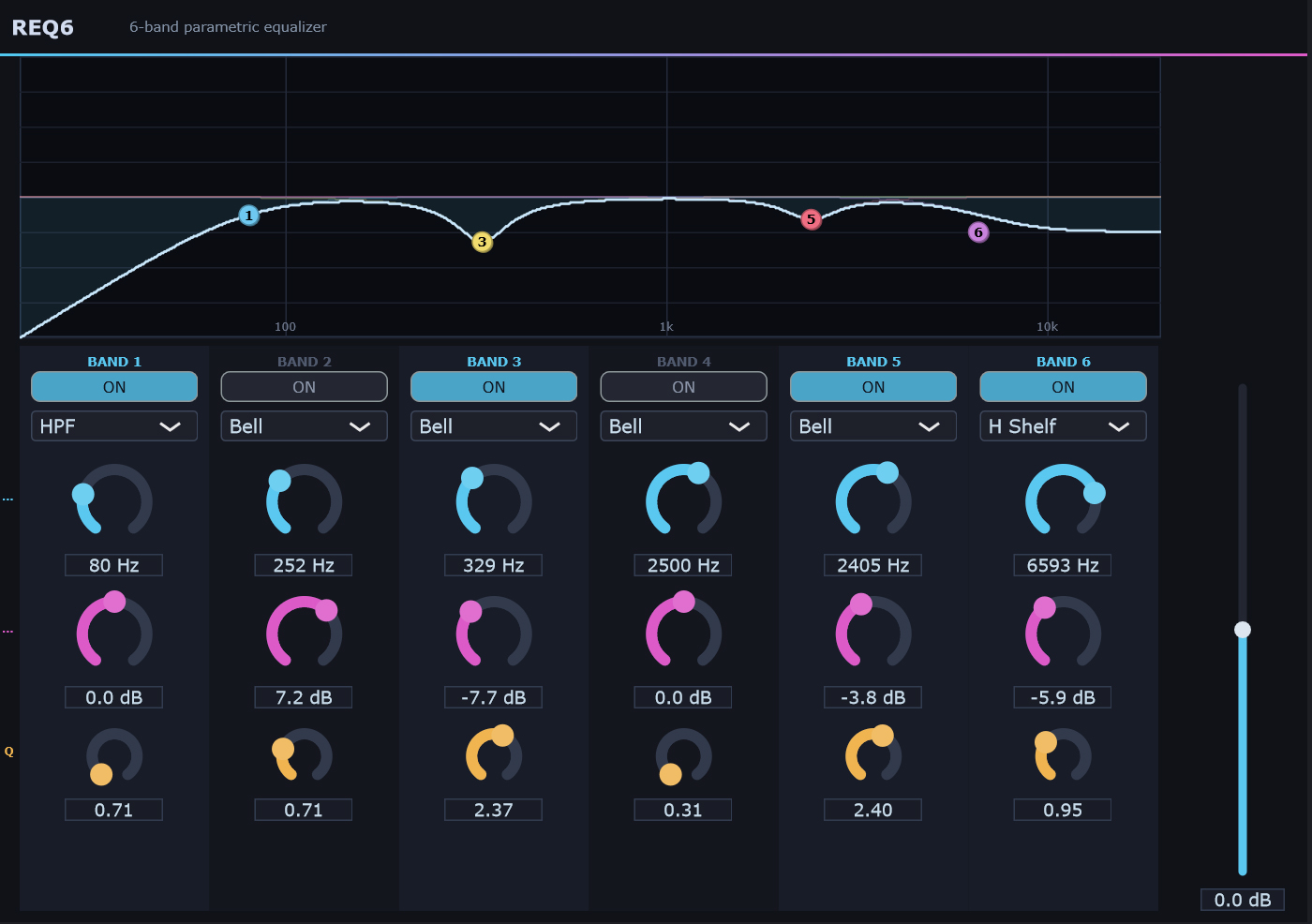
Six fully parametric bands, each independently switchable between ten
filter types: bell, low shelf, high shelf, high-pass, low-pass, notch, and resonant
low / high shelves that add a bump at the corner frequency. Bands 1 and 6 additionally
offer steep high-pass and low-pass — a four-stage Butterworth cascade
giving roughly 48 dB/octave, double a standard filter, with a
maximally-flat passband and no peak at the corner. That is the difference between
rolling off the subs and genuinely removing them.
Every band has its own frequency, gain and Q, all fully automatable, drawn as a live
frequency-response curve so you can see the sum of what the six bands are doing rather
than reading six sets of numbers. Coefficients are snapshotted under lock at the top of
each block, so automating a sweep stays glitch-free.
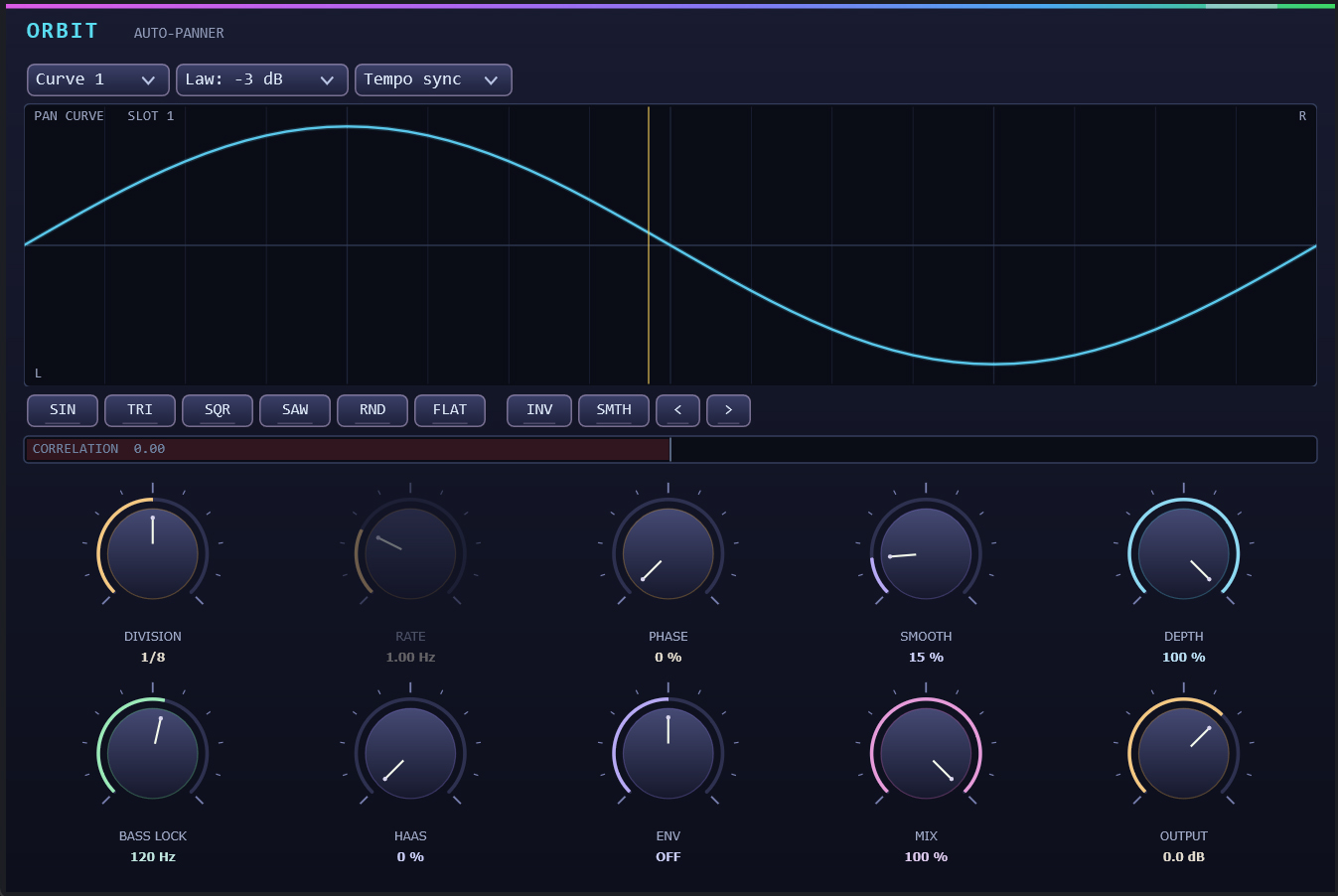
New in v1.9.6. A tempo-synced auto-panner where the motion is
drawn rather than chosen — a 64-point curve per band replaces the fixed
sine of a conventional panner, with three bands so the bass can hold centre while the top
moves. Three things separate it from the field. First, the panning law is a
control, not a hardcoded assumption: an auto-pan crosses the centre repeatedly,
and the law decides what happens there — linear is constant-amplitude (correct
for a mono fold-down but dips ~3 dB through centre on speakers), −3 dB is
constant-power (even on speakers, bumps in mono), −4.5 dB is the broadcast
compromise that is near-flat in both. On a fast pattern that choice is an audible
amplitude pulse on every crossing. Second, Haas panning is metered, not merely
offered: delay-based panning is the same signal at two times, which is the
definition of a comb filter when summed, so a live correlation meter reads the actual
output while you dial it. Third, a bass-lock mono-below control sits
independent of the curves, because low-frequency panning is never wanted and is easy to
introduce by accident. An envelope follower can drive the motion from the material, and
curves live in the plugin state rather than as parameters — 64 points across 3 bands
would otherwise be 192 automation lanes for something you draw once; an automatable
four-slot curve selector switches between them instead.
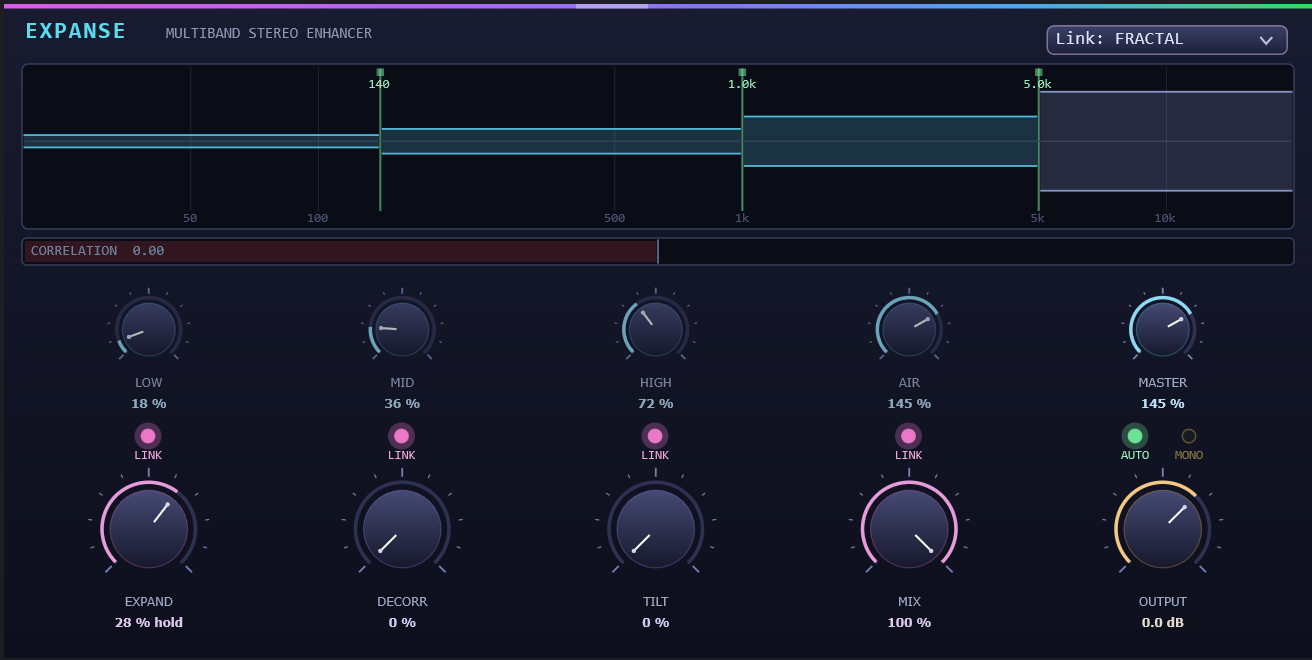
New in v1.9.6. The classic hardware stereo expander (the SPL Vitalizer
lineage) crossfeeds inverted opposite-channel content — L′ = L − kR,
R′ = R − kL — and its celebrated property is provable mono compatibility, since
L′ + R′ = (1 − k)(L + R): a mono fold-down is a level change and nothing else.
But rewrite that same operation in M/S and the flaw appears — mid × (1 − k)
against side × (1 + k). The mid falls as the side rises; at k = 0.8 the centre
is 14 dB down. Every review of the hardware reports the same thing:
push it and the centre drops out. That is not an artefact, it is the operation working as
designed. Expanse does four things the original could not. It
compensates the centre, restoring mid to unity after the crossfeed, so
width opens without hollowing out the vocal — which alone changes how far the control can
usefully be pushed. It runs per band, a Linkwitz-Riley crossover tree
splitting into four bands each with its own width, so bass stays mono and solid while the
top opens. It decorrelates rather than delays: a cascade of allpass
sections on the side signal only spreads phase across frequency at flat
magnitude, widening the image with no comb notches and leaving the mono sum untouched.
And it measures itself — a running correlation coefficient tells you
whether what you just did is mono-safe, rather than leaving you to find out on a club
system.
The Top Rail Glitch & Shiftermate, always one keystroke away
顶部工具栏 Glitch 与 Shiftermate —— 一键即达
GLITCH
Press G. The whole master bus is split into beat-synced slices —
1/4 to 1/32 — and the output becomes a controlled rebuild of those slices: stutters,
gates, cumulative pitch shifts, optional pitch LFO. A creative chopper that lives one
hotkey away from any session, and a separate per-channel instance lives on every audio
and group track if you want the effect on a single bus instead of the whole mix.
按下 G 键。整个主总线会被切割成拍子同步的切片(1/4 至 1/32),输出则成为这些切片的受控重组:支持 stutter、gate、累积音高偏移以及可选的 pitch LFO。这是一款常驻热键的创意切碎效果器,可随时对整个混音进行处理;同时,每条音频轨和 Group 轨均可独立加载 per-channel 实例,让您能对单个 Bus 而非整个混音施加效果。
SHIFTERMATE
Press M. On every grid boundary (1/32 to 1/1, BPM-synced) the master
captures one grid length and replays it as N cumulative pitch-shifted copies —
chunk k is shifted by k × pitchSemis semitones via Lagrange
resampling, so pitched-up chunks also pack tighter in time. Fractal melody generator
from any sustained source. Same per-channel availability as Glitch.
按下 M 键。在每一个栅格边界(1/32 至 1/1,BPM 同步)上,主总线会捕获一个栅格长度的音频,并以 N 个累积音高偏移的副本进行重放——第 k 个切片通过 Lagrange 重采样偏移 k × pitchSemis 半音,从而实现升调时切片在时间上同步压缩。这是一个能从任意持续音源生成分形旋律的强大工具。与 Glitch 一样,也支持每通道独立实例。
Plus a global Pitch slider in the same toolbar — a project-wide
transposition in semitones that re-pitches every audio region in real time without
altering its tempo, when Stretch mode is enabled.
Per-Channel Superpowers five switches per track, PRE or POST the chain
每声道超能力 每轨五个开关,插件链前或链后
Every audio and group track has a compact row of seven switches in its channel strip —
five effect toggles bracketed by chain-position selectors:
每条音频轨和编组轨在其通道条上都有一排紧凑的七个开关——
五个效果开关被链路位置选择器包夹:
CHANNEL STRIP ROW
[ PRE ]GSP(value)LC(Hz)HC(Hz)[ POST ]
HarmonicBufferPitch (P button)
HarmonicBufferPitch(P 按钮)
Click P to engage a per-track harmonic buffer pitch: a
1/16-note-locked chunk repeater whose chunk size sets the perceived fundamental. Capture
the first N samples of every 1/16th, repeat that captured chunk for the rest
of the 1/16th with click-free fades, leave a small empty tail rather than overshoot the
bar grid. Range 16 Hz to 16744 Hz — ten chromatic octaves. A separate ♪
button toggles the value display between continuous Hz and chromatic notes
(440 Hz ↔ A4); scroll-wheel always moves by one semitone, Shift+scroll
by an octave. The Hz parameter is fully automatable — draw a curve to sweep the pitch
across ten octaves over a phrase, or step it up the scale every bar.
The same Glitch and Shiftermate algorithms from the master toolbar, but as
independent per-track instances. The master toolbar dialogs (Ctrl+G, Ctrl+M) tune the
sound; the per-track G / S buttons decide which channels run the effect. Both toggles
are individually automatable as step functions — draw square waves on bar boundaries
to chop the effect in and out per phrase.
与主工具栏完全相同的 Glitch 与 Shiftermate 算法,但作为每轨独立的实例运行。
主工具栏对话框(Ctrl+G、Ctrl+M)用来调音色;逐轨的 G / S 按钮决定哪些声道运行效果。
两个开关都可作为阶梯函数独立自动化——在小节边界上画方波,即可按乐句切入切出。
Quick LC / HC filters
快速 LC / HC 滤波器
One-click low-cut and high-cut (Butterworth biquad, Q=1/√2) on every track with
adjustable Hz. Click a Hz value to drag-edit, mouse-wheel to scroll by 6 % per tick
(≈ semitone resolution), or double-click for direct numeric entry.
The whole effect group sits either before or after the track's plugin
chain — toggle with the PRE / POST switches at either end of the row. POST is default
(effects polish the chain output); PRE feeds glitch / shifter / pitch INTO the chain so
your reverbs and EQs hear the warped signal. A coloured frame around the active half
keeps the routing answer visible at a glance.
整个效果组要么放在轨道插件链 之前,要么放在 之后
——通过这一行两端的 PRE / POST 开关切换。默认是 POST(效果对链路输出进行打磨);
PRE 则把 glitch / shifter / pitch 喂进链路,让你的混响与 EQ 听到这些扭曲后的信号。
激活的一半周围有彩色边框,确保路由方向一眼可辨。
Kick & Bass Behavior invisible sidechain, zero routing
Kick 与 Bass Behavior 隐形侧链,无需任何路由
The classic psytrance pump — kick ducks everything, bass ducks the rest — built straight into the
mixer, with no sidechain plugins, sends or routing. Right-click a channel → Add Behavior
and tag it as Kick or Bass; the engine does the rest from that channel's own onsets.
Every other channel — never the kick, never the master — ducks at each kick onset: a fast
~2 ms cut, then a tempo-synced recovery (~1/8 note) so the kick punches through clean.
Every channel except the kick ducks in and out at each bass-note onset, keeping the low end
clean and defined. The layering nests exactly as you'd mix it: normal channels duck to
both kick and bass, the bass channel ducks to the kick only, and the kick is never
ducked.
It's completely non-destructive: the duck is applied only on the master render
(live playback and master export), never written into your regions, and it steps aside when a
single channel is soloed for an isolated bounce. Depth, attack, recovery, and a pre-onset
pre-cut hold are all tunable in Behavior Engine (Kick / Bass ducking) —
and every parameter is automatable.
The timeline accepts the usual audio formats (WAV, AIFF, FLAC, OGG, MP3) by drag-and-drop
— but it also accepts image files. Drop a JPG, PNG, or BMP onto a track and
HarmonicDAW sonifies it: pixels are scanned row-by-row, brightness becomes amplitude,
linear-interpolation expands each pixel into multiple samples, and the result is written as
a 24-bit stereo WAV at the project sample rate. A new audio track is auto-created (named
after the image), the resulting region drops in at the cursor position with default fades
applied, ready to be edited like any other audio. Same shortcut works for dropping images
onto an existing audio track — the image is converted in place into that track's chain.
Useful for turning glitch art, photos of waveforms, fractals, or text scans directly into
sound material. Combined with the per-channel Glitch / Shifter / harmonic-pitch effect
group, an arbitrary JPG becomes the seed of a full track in seconds.
JPG / PNG / BMP — drop on timeline, sonified into 24-bit WAV at engine SR
图像导入
JPG / PNG / BMP——拖到时间线上,按引擎采样率声音化为 24 位 WAV
Internal precision
64-bit double throughout the mix bus
内部精度
整个混音总线 64 位双精度
Plugin host
VST3, VST2 and CLAP (Windows 64-bit), with automatic latency compensation per slot. CLAP is hosted directly against the C API rather than through a wrapper — state, GUI, transport, latency, tail, and parameters in both directions.
插件宿主
VST3、VST2 与 CLAP(Windows 64 位),每个插件位自动延迟补偿。CLAP 直接基于 C API 宿主实现,而非通过封装层——支持状态保存、GUI 嵌入、走带同步、延迟与尾音上报,以及双向参数自动化。
17 种:Linear Phase EQ、REQ6、Bitcrusher、TranceGate、Reverb、Delay、Compressor、Opto Comp、Cyborg Pitch、Vector Field、Throat、Spectral Freeze、Reliquary、Soft Clipper、Analyzer、Finalizer、GrainMate FX
License
14-day DEMO trial — PRO unlocks via PSYKO/BSC payment
许可
14 天 DEMO 试用——通过 PSYKO/BSC 支付解锁 PRO
Build
JUCE 8, C++17, Windows 64-bit binary, v1.9.5
构建
JUCE 8、C++17、Windows 64 位二进制,v1.9.5
Acquisition
获取
Try the DEMO for 14 days, free of charge — full feature set, time-limited
by the embedded TrialManager. When you're ready to lift the limit, buy PRO
for $35 in PSYKO on BNB Smart Chain: connect a BEP-20 wallet
(MetaMask, Trust, etc.), confirm the transaction, your download starts automatically. No
accounts, no email confirmations, no subscriptions, no refund department.